ZeroDayRAT Spyware Grants Attackers Total Access to Mobile Devices
Mobile Spyware Remote Access Trojan Stalkerware
Overview
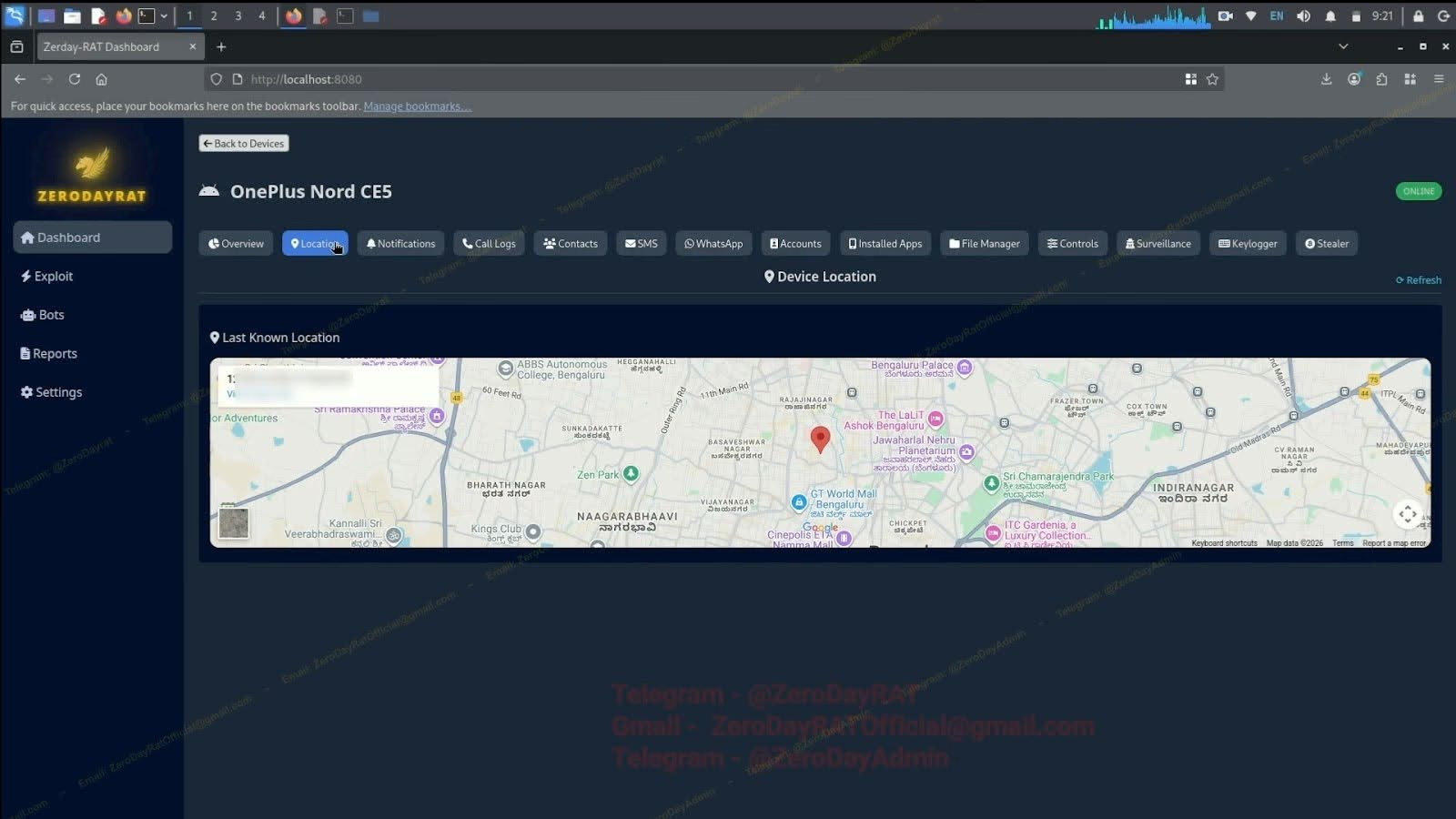
ZeroDayRAT is a commercially available mobile spyware toolkit that enables attackers to gain full remote access and surveillance capabilities over infected Android and iOS devices. Marketed via underground channels such as Telegram, it provides a web-based control panel for operators and represents a shift toward highly invasive mobile surveillance tools being available outside traditional nation-state use. The spyware includes modules for device profiling, keylogging, live camera/microphone access, GPS tracking, clipboard hijacking for crypto theft, and SMS interception including OTP codes.
Technical Specifications
| Attribute | Details |
|---|---|
| Malware Type | Mobile Spyware / Remote Access Trojan |
| Target Platforms | Android and iOS |
| Distribution | Underground markets (Telegram, dark web) |
| Control Method | Web-based control panel |
| C2 Communication | Modular architecture with remote command execution |
| Primary Vectors | Smishing, phishing, malicious APKs, social engineering |
Affected Products
- Android devices (wide version support including modern releases)
- iOS devices (claims compatibility with recent versions)
- Status: Active commercial offering
Technical Details
Platform Support
- Android: Wide version support including modern releases
- iOS: Claims compatibility with recent iOS versions
Capabilities
- Remote command execution and full device control
- Real-time screen recording and live monitoring
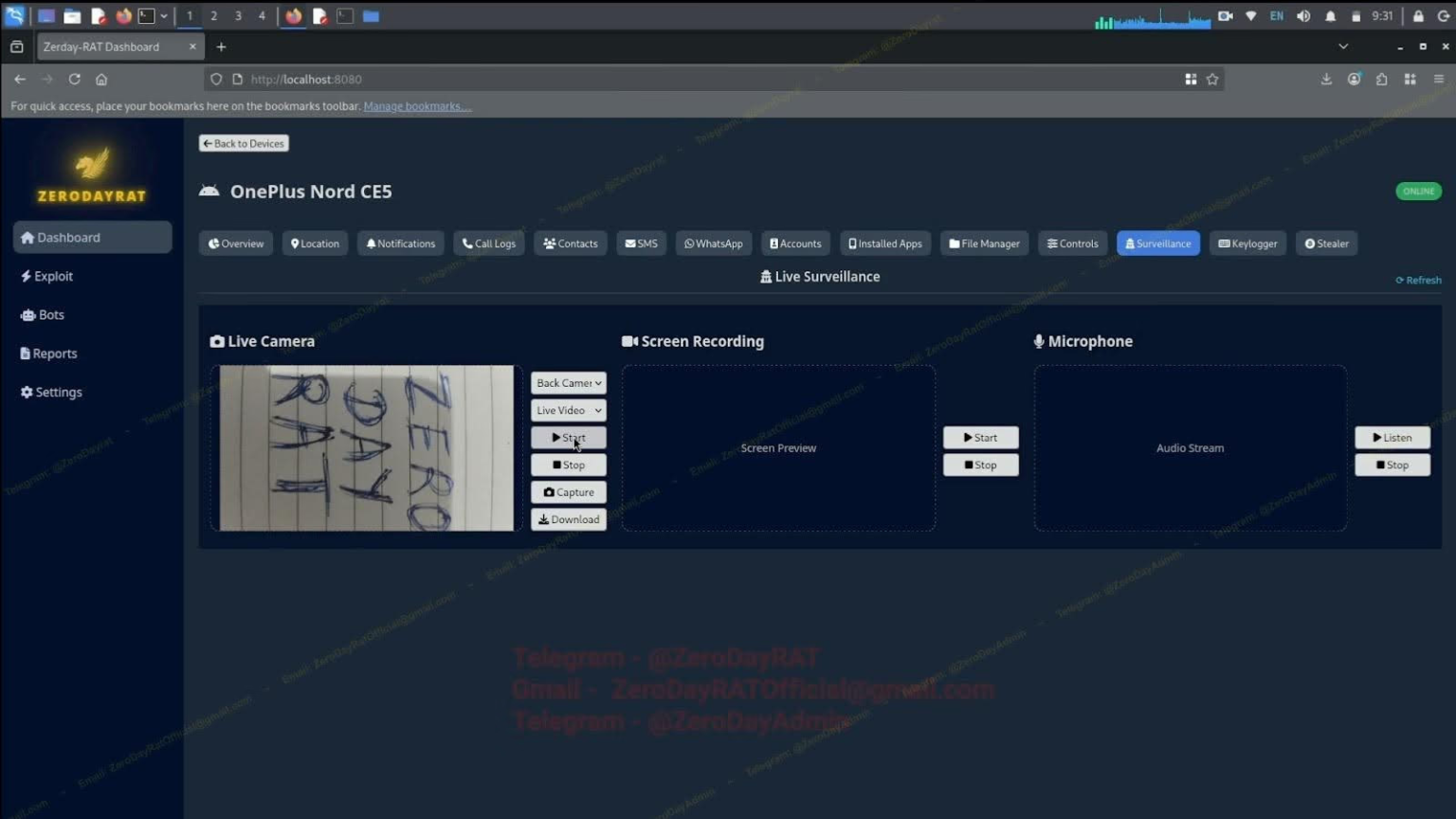
- Camera activation (front and back cameras)
- Microphone recording and live audio capture
- Keylogging all user input
- SMS harvesting and interception
- Contact and application enumeration
- Clipboard monitoring and modification (for crypto address swapping)
- Banking credential theft modules
- 2FA/OTP interception bypassing MFA protections
Infrastructure
- Web-based control panel for attacker operations
- Command-and-Control (C2) communication infrastructure
- Modular architecture enabling feature-based deployment
- Real-time data exfiltration capabilities
Distribution Vectors
- Smishing (malicious SMS links)
- Phishing campaigns via email or messaging apps
- Malicious APK files (Android)
- Social engineering through messaging platforms
- Fake or trojanized applications
- Malicious profiles or payloads (iOS)
Attack Scenario
- Initial Contact: Victim receives phishing SMS or messaging app link from attacker
- Social Engineering: Victim is tricked into installing malicious application (Android) or profile/payload (iOS)
- Execution: Malware installs and establishes persistence on device
- C2 Communication: Device connects to attacker-controlled server
- Surveillance & Data Theft:
- Keylogging captures credentials and sensitive input
- OTP messages intercepted to bypass 2FA
- Camera and microphone activated for live surveillance
- Crypto wallet clipboard addresses replaced with attacker's addresses
- Banking accounts accessed through stolen credentials
- Monetization: Financial theft, account takeover, data resale, or espionage operations
Impact Assessment
- Complete privacy invasion through camera and microphone access
- Theft of credentials, banking information, and crypto wallets
- Interception of private communications and messages
- Exposure of contacts, photos, and personal data
- Clipboard hijacking enabling crypto theft
- Account takeover through stolen credentials
- 2FA bypass leading to unauthorized access
- Manipulation of device data and settings
- Identity theft and financial loss
- Blackmail and extortion risk from compromising data
- Potential device performance degradation
- Loss of trust in personal device security
Mitigation Strategies
Immediate Actions
- Avoid clicking unsolicited links, especially from SMS or unknown messaging contacts
- Install apps only from official app stores (Google Play, Apple App Store)
- Review currently installed apps and remove suspicious or unknown applications
- Factory reset device if compromise is suspected
Short-term Measures
- Keep operating system and apps fully updated with latest security patches
- Enable device-level security protections (screen lock, biometric authentication)
- Review and restrict app permissions regularly, removing excessive access
- Use strong multi-factor authentication, preferably hardware-based tokens (FIDO2, YubiKey)
- Monitor device behavior for unusual battery drain, data usage, or performance issues
Monitoring & Detection
- Watch for unexpected app installations or permission changes
- Monitor data usage for unusual spikes or patterns
- Alert on suspicious background processes or network connections
- Review SMS and messaging app activity for unusual patterns
- Check device management profiles (iOS) or device admin apps (Android)
Long-term Solutions
- Implement mobile device management (MDM) for enterprise environments
- Deploy mobile threat defense (MTD) solutions for high-risk users
- Conduct regular security awareness training on mobile threats
- Use separate devices for sensitive financial or work activities if threat level warrants
- Maintain regular backups to enable clean device restoration
- Consider using privacy-focused operating systems or hardened devices for high-risk scenarios
- Implement network-level protections and filtering to block known malicious infrastructure
Resources and References
Incident Reports
- ZeroDayRAT spyware grants attackers total access to mobile devices
- Dangerous new spyware can take full control of iPhone and Android devices | TechSpot
- New 'ZeroDayRAT' Spyware Kit Enables Total Compromise of iOS, Android Devices - SecurityWeek
- A new spyware called ZeroDayRat can take over your iPhone or Android via text — here is how to stay safe | Tom's Guide
- New Spyware Can Track Everything You Do On Both Android And iPhone - Here's How To Stay Safe
- Les iPhone et téléphones Android sont vulnérables à ce nouveau logiciel espion
- In Bypassing MFA, ZeroDayRAT Is 'Textbook Stalkerware'
Last Updated: February 12, 2026