GhostPairing: WhatsApp Account Takeover via Social Engineering
Social Engineering WhatsApp Account Takeover Device Linking Abuse
Overview
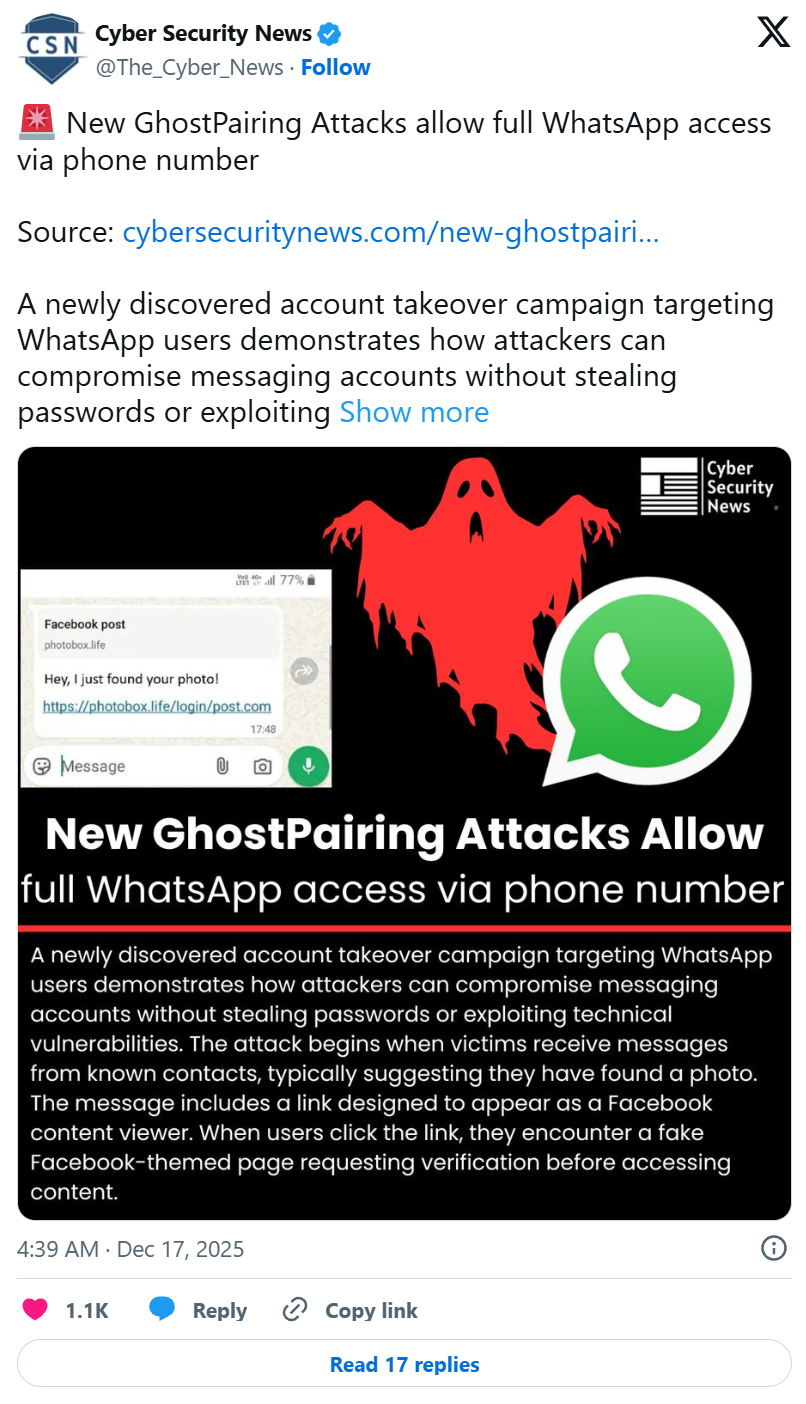
GhostPairing is a social engineering-driven attack campaign that abuses WhatsApp's legitimate device-linking feature to silently pair an attacker's device (e.g., WhatsApp Web session) with a victim's account, achieving full account takeover. Unlike traditional account compromise methods, GhostPairing does not require stolen passwords, SIM swaps, or malware installation. Instead, attackers trick victims into authorizing the device link themselves through sophisticated social engineering tactics. Victims receive messages appearing to come from known contacts with enticing content (e.g., "Hi, check this photo"), leading to fake verification pages that mimic Facebook/WhatsApp interfaces. Users unknowingly enter pairing codes that grant the attacker's device real-time access to all WhatsApp chats, media, and contacts. Once linked, the attacker's session behaves as a legitimate authorized device, allowing persistent access while victims continue using WhatsApp normally, often remaining unaware of the compromise. The technique has been flagged by CERT-In (Indian Computer Emergency Response Team) and MeitY (Ministry of Electronics and IT) as a significant threat.
Attack Specifications
| Attribute | Details |
|---|---|
| Attack Name | GhostPairing |
| Target Platform | WhatsApp (iOS, Android, WhatsApp Web, Desktop) |
| Attack Type | Social Engineering, Account Takeover, Device Linking Abuse |
| Attack Vector | Phishing messages via WhatsApp, malicious links |
| Exploitation Method | Legitimate feature abuse (WhatsApp device linking) |
| Authentication Bypass | Yes (via user-authorized device pairing) |
| Malware Required | No (purely social engineering) |
| SIM Swap Required | No |
| Password Theft Required | No |
| User Interaction | High (victim must click link and enter pairing code) |
| Persistence | Yes (linked device retains access until manually removed) |
| Detection Difficulty | High (legitimate feature use, no app anomalies) |
| Impact Scope | Full account access (messages, media, contacts, real-time monitoring) |
| Victim Awareness | Low (app continues functioning normally) |
| Spread Mechanism | Compromised accounts used to target victim's contacts |
| Geographic Focus | Initially reported in India, global potential |
| Authority Warnings | CERT-In (India), MeitY (Ministry of Electronics and IT) |
| WhatsApp Vulnerability | No (legitimate feature misused via social engineering) |
Technical Details
WhatsApp Device Linking Feature
GhostPairing exploits legitimate functionality designed for multi-device access:
- Multi-Device Support: WhatsApp allows linking up to 5 devices (WhatsApp Web, Desktop, companion devices) to a single account for convenience
- Linking Process: Standard linking requires:
- User opens WhatsApp on primary device → Settings → Linked Devices
- Scans QR code displayed on secondary device (Web/Desktop), OR
- Uses "Link with Phone Number" flow entering 8-digit pairing code
- Authorization: Linking explicitly requires action on primary device (QR scan or code entry), intended as security measure
- Session Persistence: Once linked, devices maintain persistent access without requiring password or biometric authentication on subsequent uses
- Independent Sessions: Linked devices function independently—victim can use phone normally while attacker monitors from linked Web session
Attack Mechanism
GhostPairing subverts the linking process through sophisticated social engineering:
Step 1: Initial Contact (Spoofed Trusted Source)
- Compromised Accounts: Attackers use previously compromised WhatsApp accounts to send messages, ensuring they appear from trusted contacts in victim's phone
- Enticing Message: Messages crafted to trigger curiosity or urgency:
- "Hi, check this photo 📷" (visual content promise)
- "Is this you in this video?" (identity concern)
- "Urgent: Verify your account to avoid suspension" (fear tactic)
- "Free gift available, claim now" (incentive)
- Malicious Link: Message includes link to attacker-controlled phishing site
- Preview Manipulation: Attackers may manipulate link previews to show fake image thumbnails or video previews, increasing click-through rates
Step 2: Fake Verification Interface
Victims clicking the link are redirected to spoofed pages mimicking legitimate services:
- Facebook/WhatsApp Branding: Pages styled identically to official Facebook or WhatsApp interfaces with logos, color schemes, and UI elements
- Verification Pretense: Page claims user must verify identity for security reasons:
- "WhatsApp Security Check"
- "Verify Your Account to Continue"
- "Facebook Account Verification Required"
- Multi-Step Process: Pages guide victims through multi-step verification to appear legitimate and build trust
- Mobile Optimization: Pages optimized for mobile browsers (where most WhatsApp users access links) to ensure smooth deceptive experience
Step 3: Device Pairing Code Injection
The core deception occurs when victims enter pairing codes:
- Code Generation: Attacker initiates WhatsApp Web/Desktop linking on their device, generating 8-digit pairing code
- Code Request: Fake verification page prompts victim to enter "verification code" or "security code"
- Code Delivery: Victim's WhatsApp may display pairing code request notification (legitimate WhatsApp behavior when linking via phone number flow)
- Victim Entry: Victim enters code on fake website, which is transmitted to attacker's infrastructure
- Real-Time Linking: Attacker's script immediately uses provided code to complete device linking on their WhatsApp Web/Desktop session
Step 4: Silent Takeover
Once code entered, device linking completes within seconds:
- Attacker Access Granted: Attacker's WhatsApp Web/Desktop session now fully linked to victim's account
- No App Disruption: Victim's WhatsApp continues functioning normally—no logout, no error messages, no visible changes
- Notification Suppression: WhatsApp does send "New device linked" notification, but attackers rely on victims dismissing or not noticing it
- Immediate Access: Attacker can immediately:
- View entire chat history (all conversations, groups, media)
- Monitor real-time messages as they arrive
- Send messages as victim to any contact
- Download media (photos, videos, documents)
- Access contact list for further targeting
Persistence is achieved by abusing WhatsApp’s legitimate multi-device linking mechanism rather than exploiting malware or system vulnerabilities
GhostPairing achieves long-term persistence through legitimate mechanisms:
- No Expiration: Linked devices remain active until manually unlinked by victim via Settings → Linked Devices
- Auto-Reconnect: If attacker's session disconnected, it automatically reconnects when network restored (standard WhatsApp Web behavior)
- Background Monitoring: Attacker's device can run in background on VPS, cloud server, or personal machine, continuously monitoring victim's account
- Low Detection: Since linking is legitimate feature, no antivirus, mobile security app, or network monitoring tool flags it as malicious
- Victim Unawareness: Many users never check Linked Devices section, allowing persistent access for weeks/months
Attack Scenario
Step-by-Step Compromise
-
Attacker Compromises Initial Account
Campaign begins with attacker compromising one or more WhatsApp accounts via earlier GhostPairing attacks, credential theft, or other methods. These seed accounts used to spread attack to victims' contacts, exploiting trust relationships. -
Phishing Message Sent from Trusted Contact
Attacker uses compromised account to send phishing message to victim. Message appears from known friend, family member, or colleague, bypassing victim's skepticism. Text crafted for high engagement: "Hey! I found this photo of us from last year 😊 [malicious link]" or "Urgent: WhatsApp updating security, verify here [malicious link]". -
Victim Clicks Malicious Link
Curious or concerned victim clicks link. Redirected to attacker-controlled phishing website designed to look like official Facebook or WhatsApp page. Domain may use typosquatting (e.g.,whatsapp-verify[.]com,facebook-secure-login[.]net) or compromised legitimate sites. Page loads quickly and professionally, resembling real service. -
Fake Verification Process Initiated
Phishing page displays message: "WhatsApp Security Verification Required. To protect your account, please complete verification." Page may show fake security badges, SSL padlock icons (site has HTTPS), and official-looking branding. Multi-step process begins: "Step 1/3: Confirm Phone Number", "Step 2/3: Enter Verification Code". -
Attacker Generates Pairing Code
While victim interacts with fake page, attacker (or automated script) initiates WhatsApp Web linking on their device using "Link with Phone Number" option. WhatsApp generates 8-digit pairing code valid for limited time. Code displayed on attacker's screen, waiting for victim to provide it. -
Victim Receives Legitimate WhatsApp Notification
Victim's WhatsApp may display notification: "WhatsApp code: 12345678. To verify your phone number, enter this code." This is legitimate WhatsApp behavior for device linking, but victim believes it's part of "security verification" requested by fake page. Timing engineered to make notification appear as response to fake verification process. -
Victim Enters Code on Fake Website
Fake page prompts: "Enter verification code sent to your WhatsApp". Victim enters 8-digit code into phishing form. Code transmitted in real-time to attacker's infrastructure (backend server receiving form submissions). Attacker's script immediately inputs code into WhatsApp Web linking dialog. -
Device Linking Completes
Pairing code accepted by WhatsApp servers. Attacker's WhatsApp Web/Desktop session successfully linked to victim's account. Victim sees success message on fake page: "Verification Complete! Your account is secure." Fake page may redirect to legitimate WhatsApp website or close, leaving no trace. Victim's WhatsApp displays brief notification: "New device linked: WhatsApp Web on [attacker device]" (often missed or dismissed). -
Attacker Gains Full Access
Attacker now has complete access to victim's WhatsApp:- Views entire message history across all chats and groups
- Monitors new messages in real-time
- Sends messages impersonating victim
- Downloads photos, videos, documents
- Accesses contact information for further attacks Victim continues using WhatsApp normally, unaware of compromise. Attacker operates silently in background.
-
Attack Propagation
Using compromised account, attacker sends additional phishing messages to victim's contacts, exploiting trust relationships. Cycle repeats, spreading GhostPairing to wider victim pool. Each compromised account becomes new attack vector. Campaign grows exponentially.
Impact Assessment
- Attacker gains unrestricted access to victim's entire digital communication history: personal conversations, family discussions, business communications, group chats.
- All messages readable in real-time, including sensitive information: banking details shared via chat, passwords sent to contacts, medical information, private photos/videos, location sharing.
- Victim's communication patterns analyzed revealing relationships, schedules, habits.
- Privacy violation extends to victim's contacts whose messages also exposed.
- Persistent monitoring enables long-term intelligence gathering.
Attackers leverage access for financial fraud:
- Impersonation scams: Message victim's contacts requesting money ("I'm in emergency, need funds transferred urgently")
- Business email compromise: Intercept business communications, alter invoice details, redirect payments
- Credential harvesting: Steal banking codes, OTPs, payment confirmations shared via WhatsApp
- Cryptocurrency theft: Access crypto wallet recovery phrases or transaction authorizations shared in chats
- Extortion: Threaten to leak sensitive conversations unless ransom paid
Victims may lose thousands of dollars through direct theft or social engineering of their contacts.
Attackers impersonate victims to contacts, friends, family, and business associates:
- Send fraudulent requests for money or sensitive information
- Spread misinformation or malicious content using victim's identity
- Damage personal and professional relationships through inappropriate messages
- Post embarrassing or harmful content to groups
- Harvest additional credentials by asking contacts for passwords/codes
Reputation damage may take months/years to repair. Professional consequences if business contacts defrauded.
Campaign demonstrates systemic vulnerability in communication platforms:
- Trust erosion: Users question authenticity of messages even from known contacts
- Communication disruption: Businesses implement additional verification procedures, slowing operations
- Social engineering normalization: Success of GhostPairing emboldens similar campaigns
- Platform reputation: WhatsApp faces criticism for insufficient protection against legitimate feature abuse
Widespread adoption could undermine fundamental communication trust in digital society.
Mitigation Strategies
For Individual Users (Prevention)
-
Verify Suspicious Links: Never click links in unsolicited WhatsApp messages, even from known contacts. If message unexpected:
- Contact sender directly via phone call or separate channel to verify legitimacy
- Ask: "Did you just send me a link about [topic]?"
- Assume compromised account until verified
-
Recognize Pairing Code Requests: Never enter pairing codes unless you personally initiated device linking:
- Pairing codes only generated when you start linking new device
- If code appears without your action, do not share it
- Treat unexpected pairing codes as compromise attempt
-
Scrutinize Verification Requests: Legitimate services never ask for verification via external links:
- WhatsApp/Facebook never send verification links via chat messages
- Account verification happens within official app only
- Any external "verification website" is phishing
-
Check Link Destinations: Before clicking, long-press link to preview full URL:
- Look for typosquatting (whatsapp vs whatsàpp, facebook vs faceb00k)
- Verify official domains (whatsapp.com, facebook.com, not whatsapp-verify.com)
- Use URL scanning services (VirusTotal, URLScan.io) for suspicious links
For Individual Users (Detection)
-
Regularly Audit Linked Devices: Check for unauthorized sessions weekly:
- Open WhatsApp → Settings → Linked Devices
- Review all active sessions
- Remove any unrecognized devices immediately
- Check device names, locations (if shown), and last active times
- If any device unfamiliar: unlink immediately, change security settings, review recent messages
-
Monitor for Suspicious Notifications: Pay attention to device linking notifications:
- "New device linked" without your action = compromise
- Investigate immediately if notification appears unexpectedly
- Don't dismiss security notifications reflexively
-
Review Sent Messages: Periodically check sent messages for messages you didn't write:
- Look for outbound phishing links sent to contacts
- Check if unusual requests for money or information sent from your account
- If suspicious activity found, assume account compromised
-
Enable Activity Logs: If available in future WhatsApp updates, enable detailed activity logging showing all actions taken on account from each device.
Security Hardening
-
Enable Two-Step Verification (2SV): Activate WhatsApp's optional 6-digit PIN:
- WhatsApp → Settings → Account → Two-Step Verification
- Set 6-digit PIN and recovery email
- PIN required when registering phone number on new device
- Does not prevent device linking but adds layer for account recovery
-
Use Biometric App Lock: Enable fingerprint/face unlock for WhatsApp app:
- Settings → Privacy → Screen Lock
- Requires biometric authentication to open app
- Limits physical device access by attackers
-
Limit Device Linking: Keep number of linked devices to minimum necessary:
- Only link devices you actively use
- Unlink inactive devices (old laptops, work computers no longer used)
- Fewer linked devices = smaller attack surface
-
Secure Primary Device: Strong security on primary phone prevents compromise:
- Use strong passcode/biometric unlock
- Keep OS and WhatsApp updated
- Install mobile security apps (Google Play Protect, antivirus)
- Avoid installing apps from untrusted sources
For WhatsApp (Platform-Level Mitigations)
-
Enhanced Linking Notifications: Improve device linking alerts:
- Push notification with clear warning: "New device linked to your account. If you didn't authorize this, tap here to unlink."
- Display device details (OS, location if available, IP address)
- Require user acknowledgment (not dismissible without action)
- Send notification to all linked devices, not just primary phone
-
Link Confirmation Dialog: Add confirmation step in app when new device links:
- Show dialog: "A new device is being linked. Approve?" with Approve/Deny buttons
- Include device fingerprint information
- Make approval process explicit, not silent background operation
-
Anomaly Detection: Implement behavioral analytics:
- Detect unusual linking patterns (multiple rapid device links, links from high-risk geolocations)
- Flag accounts that linked device shortly after clicking suspicious link
- Temporarily block linking if account exhibits compromise indicators
-
Pairing Code Validation: Add friction to pairing code flow:
- Require users to explicitly confirm "I am linking a new device" in app before displaying code
- Show warning: "Never share this code with anyone or enter it on websites"
- Implement CAPTCHA or biometric confirmation before code generation
-
User Education In-App: Display security tips within WhatsApp:
- Periodic reminders about device linking security
- Tutorial on checking Linked Devices section
- Warning banners when user receives messages with links from recently compromised accounts (if detectable)
Resources
Threat Intelligence