Cisco Meeting Management Arbitrary File Upload Vulnerability
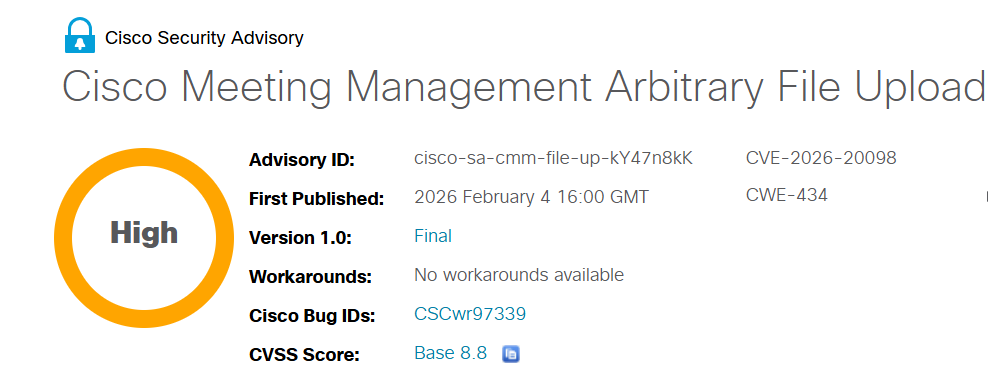
CVE-2026-20098 Arbitrary File Upload Remote Code Execution
Overview
A critical vulnerability in the file upload handling of Cisco Meeting Management allows an authenticated attacker with "video operator" privileges to upload arbitrary files. These files can overwrite critical server files, potentially enabling remote code execution and privilege escalation. The flaw stems from insufficient validation of uploaded file types and locations, allowing attackers to bypass security controls and achieve full system compromise.
Technical Specifications
| Attribute | Details |
|---|---|
| CVE ID | CVE-2026-20098 |
| Vulnerability Type | Unrestricted File Upload (CWE-434) |
| CVSS Score | 8.8 (High) |
| Attack Vector | Network |
| Authentication | Required (video operator privileges) |
| Complexity | Low |
| User Interaction | Not Required |
| Affected Component | Certificate Management / File upload handler |
Affected Products
- Cisco Meeting Management
- Systems with video operator or higher privileges exposed to untrusted users
- Status: Active / Patches available
Technical Details
Vulnerability Characteristics
- Type: Unrestricted File Upload with Dangerous Type (CWE-434)
- Required Access: Minimum "video operator" privileges
- Attack Surface: Web management interface file upload handler
- Vulnerable Component: Certificate Management feature
Attack Vector
- Specially crafted HTTP file upload requests sent to web management interface
- No validation of uploaded file types or content
- Uploaded files can be placed in arbitrary locations on the server
- Files can overwrite critical system files and scripts
Attack Scenario
- Attacker obtains credentials with at least video operator access (through compromise, insider threat, or privilege escalation)
- Attacker sends specially crafted HTTP requests to the Cisco Meeting Management file upload endpoint
- Uploaded files bypass type validation and are placed in critical server directories
- Uploaded malicious files overwrite system configuration files, scripts, or binaries
- When the overwritten files are executed by the server, malicious code runs with server privileges
- Attacker achieves remote code execution and escalates privileges to root
- Complete system compromise is established
Impact Assessment
- Access to sensitive organizational data and meeting recordings
- Exposure of user credentials and authentication tokens
- Access to certificate material and encryption keys
- Potential access to connected systems through compromised Meeting Management
- Arbitrary file upload and modification of server files
- Modification of system configurations and security settings
- Injection of malicious scripts and backdoors
- Manipulation of meeting data and recordings
- Full system compromise of Cisco Meeting Management server
- Potential denial of service through file corruption
- Unauthorized control over meetings and video conferences
- Service disruption through system manipulation
Mitigation Strategies
Immediate Actions
- Upgrade to Cisco Meeting Management patched software release immediately
- Audit user accounts with video operator or higher privileges
- Review file upload logs for suspicious activities
- Verify integrity of critical system files and certificates
Short-term Measures
- Restrict access to video operator privileges to only trusted administrators
- Implement strict principle of least privilege for all user roles
- Disable unnecessary file upload features if not required
- Monitor system logs for abnormal file uploads and modifications
- Implement input validation and file type restrictions at the application level
Monitoring & Detection
- Monitor system logs for abnormal file uploads and overwrites
- Alert on creation of unexpected files in critical system directories
- Track modifications to system binaries and scripts
- Monitor process execution patterns for anomalies
- Watch for unauthorized certificate management activities
Long-term Solutions
- Implement network segmentation to isolate Meeting Management servers
- Use firewalls to restrict access to management interfaces
- Deploy file integrity monitoring (FIM) solutions
- Establish regular security audits of Cisco Meeting Management configurations
- Implement multi-factor authentication for privileged access
- Maintain strict access controls based on role-based access control (RBAC)
- Conduct regular security assessments and penetration testing
- Keep software updated with security patches
Resources and References
Incident Reports
Last Updated: February 5, 2026