Malicious Chrome Extensions Campaign (108 Extensions Data Theft Operation)

Malware Browser Security Supply Chain Attack Credential Theft
Overview
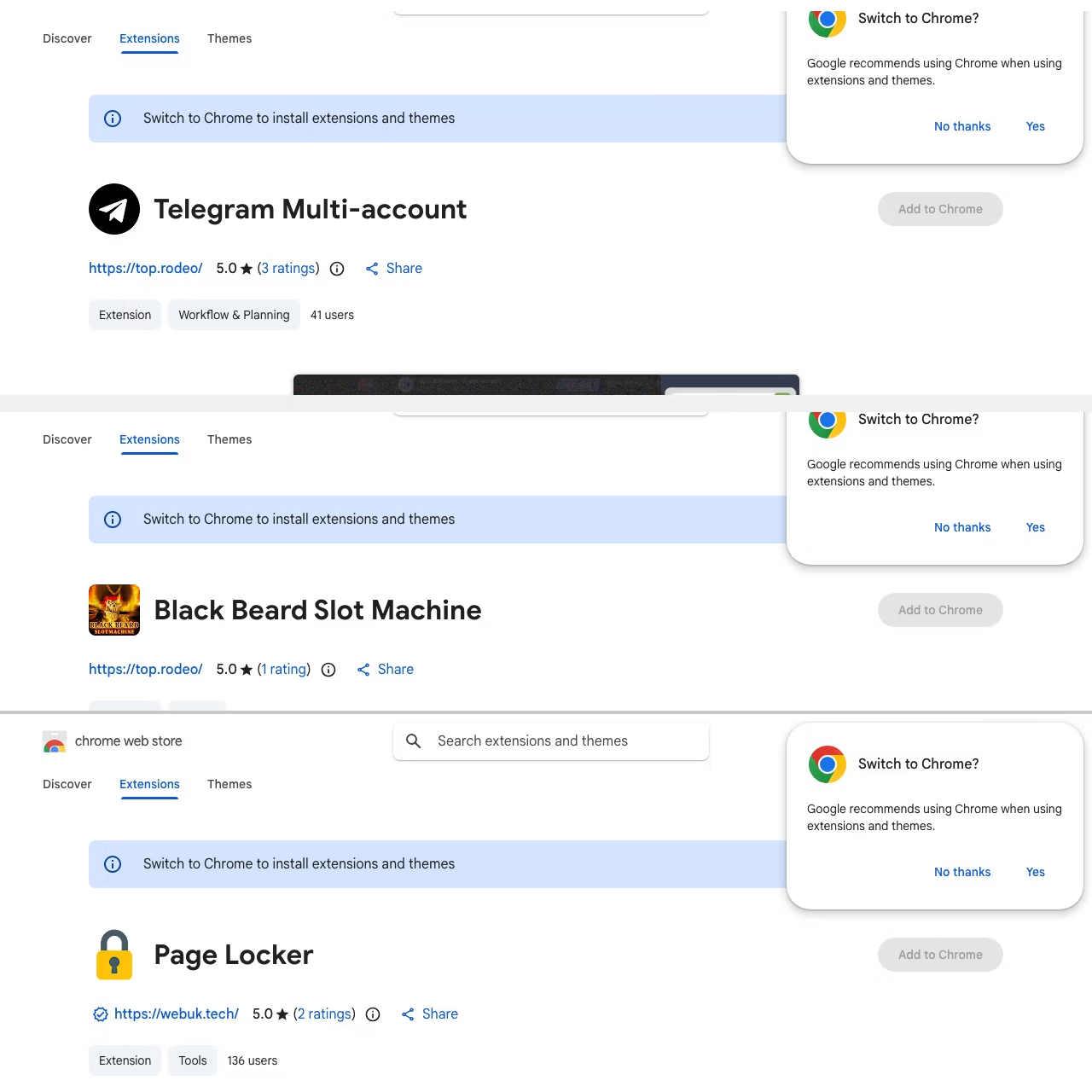
A large-scale campaign involving 108 malicious browser extensions uploaded to the Chrome Web Store was discovered in April 2026. The extensions impersonated legitimate tools — including Telegram utilities, video enhancers, and translation aids — to deceive users into installation. Once installed, they silently collected authentication tokens, session cookies, and other sensitive data, enabling attackers to hijack accounts without requiring passwords or bypassing multi-factor authentication.
Technical Specifications
| Attribute | Details |
|---|---|
| Campaign Scale | 108 malicious extensions; ~20,000 affected users |
| Platform | Google Chrome Web Store |
| Impersonation | Telegram tools, video enhancers, translators |
| Technique | Obfuscated JavaScript, C2 communication, script injection |
| Data Stolen | Google OAuth tokens, Telegram session cookies |
| Backdoor | Remote command execution, attacker-URL loading |
| Exfiltration | HTTP requests to attacker-controlled infrastructure |
| Defense Evasion | CSP (Content Security Policy) bypass |
Affected Products
- Google Chrome — all versions supporting Web Store extension installation
- Google Account / Google Workspace — via compromised OAuth tokens
- Telegram — via stolen session cookies
- Any website visited by the victim — due to broad "read all website data" permissions
Attack Scenario
- Attacker creates 108 fake browser extensions, each disguised as a popular utility
- Extensions are uploaded to the Chrome Web Store with convincing descriptions and icons
- User discovers and installs an extension believing it is legitimate
- Extension requests high-risk permissions, including access to all website data
- On installation, obfuscated JavaScript executes hidden malicious logic in the background
- Extension silently harvests Google OAuth tokens and Telegram session cookies from the browser
- Stolen credentials are exfiltrated over HTTP to attacker-controlled C2 infrastructure
- Some extensions leverage backdoor functionality to fetch and execute remote commands or open attacker-controlled URLs
- Attacker uses stolen tokens to hijack Google and Telegram accounts — bypassing passwords and MFA entirely
- Optional: injected scripts introduce further malicious content into active browsing sessions, enabling surveillance or lateral movement
Impact
- Full account takeover for Google and Telegram accounts via stolen OAuth tokens and session cookies
- MFA bypass — valid session tokens allow account access without credential re-entry
- Arbitrary script injection into all visited web pages
- Backdoor access enabling remote command execution on affected browsers
- CSP bypass suppressing browser-native security protections
- Persistent exfiltration channel over standard HTTP traffic, blending with normal browsing
- Enterprise compromise risk via hijacked Google Workspace accounts
- Unauthorized access to corporate emails, shared drives, and collaboration tools
- Potential data theft of confidential business communications and documents
- Reputational damage and regulatory exposure if employee accounts are breached
- Lateral movement risk within organizations using SSO tied to compromised Google identities
- Erosion of trust in the Chrome Web Store as a safe extension distribution platform
- ~20,000 users directly affected across personal and enterprise contexts
- Demonstrated scalability of supply-chain-style extension campaigns
- Privacy violations from passive surveillance of all visited websites
- Broader chilling effect on enterprise browser extension adoption policies
Mitigations
Immediate Actions
- Remove all suspicious or unrecognized browser extensions immediately
- Revoke OAuth tokens granted to third-party apps via Google Account Security Settings
- Log out from all active Google and Telegram sessions
- Change account passwords as a precaution even if no direct compromise is confirmed
- Review browser extension permissions for any installed extension requesting broad site access
Preventive Measures
- Install extensions only from verified, well-known developers with established review histories
- Scrutinize permissions before installation — legitimate utilities rarely need "read all website data"
- Deploy endpoint or browser security monitoring tools capable of detecting extension-based data exfiltration
- Enforce extension allowlisting in enterprise environments via browser management policies
- Regularly audit installed extensions across all endpoints
Resources
Open-Source Reporting
- 108 Malicious Chrome Extensions Steal Google and Telegram Data, Affecting 20,000 Users
- Thousands of users hit by malicious Chrome extensions — Cybernews
- 108 Fake Chrome Extensions Were Stealing Your Google and Telegram Data. Remove Them Now.
- 108 Malicious Chrome Extensions Stole User Data and Hijacked Browsers — HackYourMom
- 108 malicious Chrome extensions steal Google data
- 108 Coordinated Malicious Chrome Extensions Exfiltrate OAuth — Threat Campaign Analysis
Last Updated: April 15, 2026