TP-Link VIGI Camera Authentication Bypass (CVE-2026-0629)
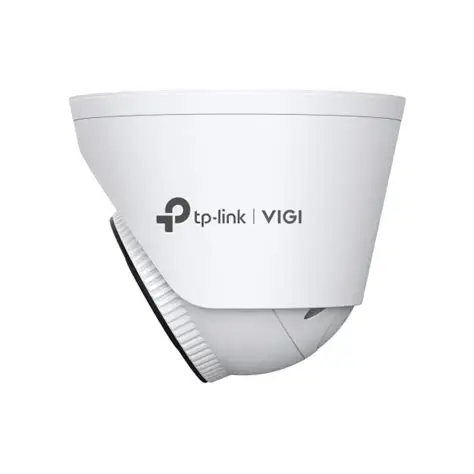
CVE-2026-0629 Authentication Bypass TP-Link VIGI IP Camera Password Recovery Client-Side Bypass IoT Security
Overview
CVE-2026-0629 is a critical authentication bypass vulnerability affecting TP-Link VIGI surveillance camera series, discovered by security researcher Arko Dhar of Redinent Innovations and disclosed in January 2026. The vulnerability exists in the password recovery feature of the camera's web administration interface, allowing an attacker on the local network (LAN) to reset the administrator password without proper identity verification by exploiting client-side state manipulation.
This authentication bypass grants unauthorized attackers full administrative access to the camera's web interface, enabling them to view live video feeds, modify security settings, disable alerts, extract recorded footage, change network configurations, and potentially use compromised cameras as pivot points for lateral movement within the internal network.
The flaw affects more than 32 models in the VIGI C series (fixed dome/bullet cameras) and VIGI InSight series (pan-tilt-zoom cameras) used extensively in commercial surveillance deployments including retail stores, office buildings, warehouses, industrial facilities, and educational institutions. At the time of discovery, researchers identified over 2,500 vulnerable VIGI cameras exposed directly to the public internet, significantly amplifying the attack surface beyond LAN-based scenarios.
The vulnerability stems from improper validation of the password recovery workflow, where the web interface relies on client-side checks to verify password reset authorization rather than enforcing server-side authentication, allowing attackers to manipulate HTTP requests or client-side JavaScript state to bypass security controls.
TP-Link has released firmware patches for affected models, but the widespread deployment of IoT surveillance devices combined with poor patch management practices in many organizations means thousands of cameras likely remain vulnerable. The compromise of surveillance cameras presents severe security and privacy risks, including unauthorized surveillance of sensitive areas, disabling security monitoring during physical intrusions, exfiltration of confidential footage (trade secrets captured on video, proprietary processes, executive discussions), and establishing persistent footholds in secured network segments for further attacks.
Vulnerability Specifications
| Attribute | Details |
|---|---|
| CVE ID | CVE-2026-0629 |
| Vulnerability Type | Authentication Bypass, Improper Authentication |
| CWE Classification | CWE-287 (Improper Authentication), CWE-602 (Client-Side Enforcement) |
| CVSS Score | 8.7 HIGH |
| Attack Vector | Network (local LAN or internet if camera exposed) |
| Attack Complexity | Low (simple HTTP request manipulation) |
| Privileges Required | None (unauthenticated attacker) |
| User Interaction | None |
| Affected Products | TP-Link VIGI C series, VIGI InSight series IP cameras |
| Affected Models | 32+ models including C230I, C330I, C340, C430I, C530I, C540, InSight I series |
| Vulnerable Component | Password recovery feature in web administration interface |
| Root Cause | Client-side state manipulation, improper server-side validation |
| Exploitation Mechanism | HTTP request manipulation to bypass password reset verification |
| Discovery | Arko Dhar, Redinent Innovations |
| Patch Availability | Firmware updates released by TP-Link (January 2026) |
| Affected Firmware | Multiple firmware versions across 32+ models (specific builds vary) |
| Exposed Devices | 2,500+ vulnerable cameras found exposed to internet (Shodan/Censys) |
| Typical Deployment | Commercial surveillance (retail, offices, warehouses, schools, factories) |
Technical Details
Vulnerability Overview
Password Recovery Authentication Bypass
The vulnerability exists in the web-based password recovery workflow of TP-Link VIGI cameras. The intended design allows administrators who have forgotten their password to reset it using email verification or security questions. However, the implementation contains a critical flaw where authorization checks are performed client-side (in the browser) rather than server-side (on the camera's embedded web server).
Normal Password Recovery Flow (intended secure design):
- User navigates to camera web interface
- Clicks "Forgot Password" link
- System prompts for verification via email code or security questions
- User provides valid verification
- Server validates verification server-side
- If valid, system allows password reset
- User sets new admin password
Vulnerable Implementation (CVE-2026-0629):
The critical problem is that verification validation occurs client-side only. An attacker can:
- Navigate to the password recovery page
- Open browser Developer Tools
- Manipulate JavaScript variables or modify HTTP request parameters to bypass verification
- Submit manipulated request to password reset endpoint
- Server accepts request without server-side validation
- Set new admin password and gain full access
Client-Side State Manipulation
Attackers can exploit this vulnerability through multiple methods:
Browser Console Manipulation: Attackers can open browser developer tools and directly modify JavaScript variables that control verification status, forcing the system to accept password reset requests without proper validation.
HTTP Request Manipulation: Using web proxies, attackers can intercept password reset requests and modify verification parameters from false to true, bypassing security checks entirely.
Direct API Bypass: Attackers can skip the web interface entirely and send crafted requests directly to the password reset API endpoint with forced verification status.
Post-Compromise Capabilities
Once administrative access is gained, attackers can:
Live Surveillance Access:
- View real-time video streams from all camera channels
- Control pan/tilt/zoom functions on PTZ cameras
- Access audio streams if cameras have microphones
Historical Data Exfiltration:
- Download recorded footage from SD cards or network video recorders
- Search and extract sensitive recordings containing trade secrets, confidential meetings, or security procedures
Configuration Manipulation:
- Disable motion detection alerts to evade security monitoring
- Modify network settings including IP addresses and DNS
- Change admin credentials to lock out legitimate users
- Disable cameras entirely during physical intrusions
Surveillance Evasion:
- Disable recording during criminal activity
- Delete specific footage segments to remove evidence
- Repoint PTZ cameras away from intrusion areas
- Modify motion detection zones to create blind spots
Network Reconnaissance and Lateral Movement:
- Enumerate internal network devices from the camera's network segment
- Identify other vulnerable IoT devices on the surveillance VLAN
- Use compromised cameras as pivot points for deeper network penetration
- Access connected network video recorder management systems
This comprehensive access transforms surveillance cameras from security assets into significant security liabilities, enabling attackers to conduct espionage, facilitate physical intrusions, and establish persistent network footholds.
Attack Scenario
Retail Store Security Breach - Competitor Espionage
Target Environment: TechMart Electronics, a 50-store retail chain using 120 TP-Link VIGI cameras across locations for surveillance and loss prevention.
Attacker Profile: Competing electronics retailer conducting economic espionage to steal trade secrets and gain competitive advantage.
Phase 1: Reconnaissance
The attacker used internet scanning tools to identify TechMart surveillance cameras exposed to the public internet due to misconfigured port forwarding. Discovery revealed 12 cameras accessible online, including Store 42's VIGI C540 running vulnerable firmware version 1.2.3.
Phase 2: Initial Compromise
after store hours, the attacker exploited CVE-2026-0629 to bypass the password recovery authentication mechanism. By manipulating the password reset workflow, the attacker successfully changed the administrator password and gained full access to the camera's web interface without any legitimate credentials or authorization.
Phase 3: Live Surveillance Intelligence
the attacker monitored live video feeds from six strategically positioned cameras covering the entrance, checkout area, electronics section, stockroom, manager's office, and employee break room. This surveillance revealed:
- Customer behavior patterns: Peak traffic hours, browsing-to-purchase conversion rates, and average transaction times
- Product strategy: Visible inventory planning, upcoming product line expansions, and exclusive vendor partnerships
- Pricing intelligence: Markup structures observed on whiteboards and price tag changes captured on camera
- Operational procedures: Staffing levels, delivery schedules, inventory organization practices
- Security weaknesses: Alarm arming/disarming times and the facility alarm code visible on the manager's desk
Phase 4: Historical Data Exfiltration
The attacker accessed the connected Network Video Recorder and downloaded 850 GB of recorded footage spanning 90 days. This included critical periods such as the December 2025 holiday season, post-holiday clearance events, and weekly management meetings. The downloads were conducted gradually over 17 nights to avoid detection.
Analysis of this footage provided comprehensive competitive intelligence including product strategies, promotional calendars, pricing policies, customer demographics, operational inefficiencies, and strategic expansion plans discussed in management meetings.
Phase 5: Physical Intrusion Facilitation
the attacker leveraged camera access to facilitate a physical break-in. All cameras were disabled five minutes before an accomplice entered the store using the alarm code captured on surveillance footage. During the 12-minute intrusion, high-value merchandise worth $85,000 was stolen. The attacker then re-enabled cameras and deleted the recording gap to obscure evidence of the intrusion.
Phase 6: Lateral Movement
The compromised camera served as a pivot point into TechMart's internal network. Due to insufficient network segmentation, the attacker conducted reconnaissance from the camera's network position and discovered the centralized Network Video Recorder with default credentials. This provided access to all 120 cameras across all 50 retail locations nationwide, along with corporate file servers and point-of-sale systems.
Phase 7: Discovery and Response
when an IT administrator noticed suspicious password changes and API activity during an unrelated investigation. Forensic analysis revealed 17 nights of data exfiltration, unauthorized authentication from external IP addresses, and the connection between camera compromise and the physical theft incident.
Incident Impact:
- Confidentiality: Comprehensive exposure of trade secrets, pricing strategies, operational procedures, and strategic business plans
- Financial losses: $85,000 in stolen merchandise, $340,000 in incident response, forensics, network remediation, and legal costs
- Competitive disadvantage: Ongoing impact from exposed proprietary business intelligence
Recovery Actions: Firmware patching across all 120 cameras, network segmentation isolating surveillance systems, removal of internet exposure, strong password implementation, alarm code rotation across all locations, and deployment of network monitoring for anomalous camera activity.
Impact Assessment
Unauthorized access to sensitive surveillance data:
- Live Video Surveillance: Real-time viewing of all camera feeds exposing sensitive areas (executive offices, manufacturing floors, retail operations, research labs, secure facilities)
- Historical Footage: Download months or years of recorded video containing trade secrets, proprietary processes, confidential discussions, strategic planning sessions
- Audio Surveillance: If cameras have microphones, capture private conversations, business negotiations, intellectual property discussions
- Operational Intelligence: Customer behavior patterns, traffic flows, security procedures, staffing levels, delivery schedules, inventory practices
- Physical Security Compromise: Alarm codes visible on camera, security guard shift changes, patrol routes, vulnerable entry points identified
Manipulation of surveillance systems and settings:
- Configuration Changes: Modify camera settings (disable recording, change quality, point cameras away from intrusion areas)
- Footage Deletion: Delete specific recording segments to cover criminal activity or intrusions
- Credential Changes: Lock out legitimate administrators by changing admin passwords
- Motion Detection Tampering: Disable motion alerts to evade security monitoring during physical intrusions
- Network Settings: Modify IP addresses, DNS, gateway settings to disrupt operations or enable persistence
Disruption of surveillance operations:
- Camera Disabling: Turn off cameras during critical periods (physical intrusions, theft, vandalism)
- Recording Interruption: Stop recording functionality eliminating video evidence
- Network Configuration Attacks: Change network settings causing cameras to lose connectivity
- DoS via Configuration: Overload camera with requests or modify settings to crash embedded system
- Lockout Attacks: Change admin credentials preventing legitimate access during security incidents
Affects surveillance systems globally:
- Affected Devices: 32+ TP-Link VIGI camera models (C and InSight series) widely deployed in commercial settings
- Internet Exposure: 2,500+ vulnerable cameras exposed to public internet at discovery (likely higher now)
- Deployment Scale: Retail chains, corporate offices, warehouses, educational institutions, manufacturing facilities, government buildings
- Geographic Reach: Global (TP-Link cameras sold worldwide)
- Secondary Impact: Compromised cameras enable lateral movement to other network segments (corporate networks, POS systems, industrial control systems)
- Supply Chain Risk: Cameras manufactured with vulnerability affect all deployed units until patched
Mitigation Strategies
Immediate Patching
Firmware Updates: Apply TP-Link firmware patches for CVE-2026-0629 on all affected VIGI C series and InSight series cameras. Download the latest firmware from TP-Link's official support website, verify the digital signature, and apply updates through the web interface or VIGI Security Manager software for batch deployments. After patching, verify the update was successful and test that the password recovery feature now requires proper verification.
Emergency Password Rotation: Change all administrator passwords immediately using strong, randomly generated credentials (minimum 20 characters with mixed case, numbers, and special characters). Ensure each camera has a unique password and store credentials securely in a password manager. Document all password changes in your asset management system.
Network Isolation
Remove Internet Exposure: Eliminate all direct internet access to cameras by removing port forwarding rules, blocking inbound connections at the firewall, and disabling UPnP/NAT-PMP. Implement VPN-only access with multi-factor authentication for remote camera management.
VLAN Segmentation: Isolate the surveillance network from corporate networks using dedicated VLANs. Deploy firewall rules with deny-by-default policies, allowing only necessary traffic from management workstations to cameras. Prevent direct routing between surveillance and corporate VLANs to contain potential breaches.
Monitoring & Detection
Camera Activity Monitoring: Configure cameras to send logs to a centralized SIEM system and create alerts for suspicious activities including password changes, password recovery attempts, configuration modifications, and high-volume data transfers. Establish baseline configurations and monitor for unauthorized changes.
Network Traffic Analysis: Monitor network traffic for anomalies such as large outbound transfers (potential footage exfiltration), unusual API call volumes (reconnaissance activity), and port scanning originating from camera IP addresses (lateral movement attempts). Establish baseline traffic patterns and alert on deviations.
Access Controls
Strong Authentication: Implement complex passwords with minimum 20-character length, regular rotation every 90 days, and unique credentials per device. Where supported, enable multi-factor authentication using TOTP, RADIUS, or LDAP integration. Configure IP whitelisting to restrict administrative access only from authorized management networks. Consider certificate-based authentication for additional security.
Resources
TP-Link Security Advisory & Media Coverage
- TP-Link Patches Vulnerability Exposing VIGI Cameras to Remote Hacking - SecurityWeek
- Security Advisory on Authentication Bypass in Password Recovery Feature via Local Web App on VIGI Cameras (CVE-2026-0629) | TP-Link
- TP-Link Patches Vulnerability Exposing VIGI Cameras to Remote Hacking | SOC Defenders
- TP-Link Patches Vulnerability Exposing VIGI Cameras to Remote Hacking - Live Threat Intelligence - Threat Radar | OffSeq.com
- NVD - CVE-2026-0629
Last Updated: January 20, 2026