Credential-Stealing Chrome Extensions Target Enterprise HR Platforms
Chrome Extensions Session Hijacking Cookie Theft Enterprise HR Workday NetSuite SuccessFactors Supply Chain
Overview
A sophisticated credential-stealing campaign leveraging malicious Chrome extensions was discovered targeting employees at organizations using major enterprise HR and ERP platforms including Workday, NetSuite, and SuccessFactors (SAP).
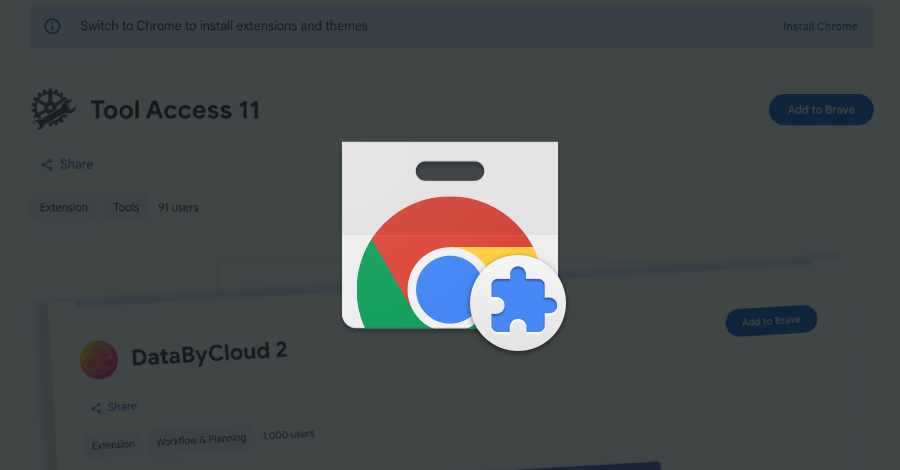
Security researchers from Socket identified five extensions (DataByCloud Access, Tool Access 11, DataByCloud 1, DataByCloud 2, Software Access) distributed via the Chrome Web Store disguised as legitimate productivity and security tools for enterprise SaaS platforms. With approximately 2,300 combined installations, the extensions employed advanced techniques including session cookie exfiltration (stealing authentication tokens every 60 seconds), DOM manipulation (blocking access to administrative and security pages to hinder incident response), and bidirectional cookie injection (replaying stolen cookies to achieve complete session hijacking without triggering password prompts or MFA challenges).
The extensions requested excessive permissions (cookies, webRequest, scripting, activeTab, access to sensitive enterprise domains) and shared common infrastructure—identical code patterns, backend exfiltration endpoints, and command-and-control servers—indicating a coordinated campaign by a single threat actor or group.
Successful compromise grants attackers access to sensitive HR data (employee records, salaries, performance reviews, SSNs, banking details), financial information (payroll, expenses, procurement, accounting records), and administrative privileges enabling further exploitation such as payroll fraud, insider impersonation, ransomware deployment, and lateral movement into corporate networks.
The campaign bypasses traditional security controls (MFA, password policies) by stealing active session tokens, representing a significant supply chain risk via the Chrome Web Store—a trusted distribution channel used by millions of enterprise users daily.
Campaign Specifications
| Attribute | Details |
|---|---|
| Campaign Name | Credential-Stealing Chrome Extensions (Enterprise HR Targeting) |
| Threat Vector | Malicious browser extensions via Chrome Web Store |
| Discovery Source | Socket security research team |
| Discovery Date | January 2026 |
| Target Platforms | Workday, Oracle NetSuite, SAP SuccessFactors |
| Target Industries | Enterprises using cloud HR/ERP systems (all sectors) |
| Malicious Extensions | 5 identified (DataByCloud Access, Tool Access 11, DataByCloud 1, DataByCloud 2, Software Access) |
| Total Installations | ~2,300 combined (across all extensions) |
| Distribution Channel | Chrome Web Store (official Google extension marketplace) |
| Extension Disguise | Productivity tools, security add-ons, access management utilities for enterprise platforms |
| Primary Attack | Session cookie theft and exfiltration |
| Exfiltration Frequency | Every ~60 seconds (continuous monitoring) |
| Stolen Cookie | __session (authentication token) |
| Secondary Attack | DOM manipulation to block admin/security pages |
| Advanced Capability | Bidirectional cookie injection for session hijacking (Software Access extension) |
| Shared Infrastructure | Common code patterns, backend endpoints, C2 servers (coordinated campaign) |
| Permissions Requested | cookies, webRequest, scripting, activeTab, <all_urls>, domain-specific access |
| MFA Bypass | Yes (session token replay bypasses password and MFA) |
| Removal Status | Extensions removed from Chrome Web Store post-disclosure |
| Attribution | Unknown (likely financially-motivated cybercrime group) |
| Ongoing Risk | Previously installed extensions remain active until manually removed |
Technical Details
Malicious Extensions Identified
| Extension Name | Installs | Capabilities |
|---|---|---|
| DataByCloud Access | ~500 | Cookie theft, DOM blocking |
| Tool Access 11 | ~600 | Cookie theft, DOM blocking |
| DataByCloud 1 | ~400 | Cookie theft, DOM blocking |
| DataByCloud 2 | ~300 | Cookie theft, DOM blocking |
| Software Access | ~500 | Cookie theft, DOM blocking, bidirectional cookie injection |
Total Combined Installs: ~2,300 (conservative estimate; actual numbers may be higher due to enterprise deployment via Chrome Enterprise policies)
Extension Permissions & Red Flags
Excessive Permissions Requested:
- cookies - Access to all browser cookies
- webRequest - Monitor/modify network requests
- webRequestBlocking - Block/modify requests in real-time
- scripting - Inject JavaScript into web pages
- activeTab - Access currently active tab
- storage - Store data locally
- host_permissions - Access to targeted enterprise domains (Workday, NetSuite, SuccessFactors) plus
<all_urls>(access to ALL websites)
Red Flags for Users:
<all_urls>permission grants access to every website visitedcookies+webRequestcombination enables credential theft- Targets specific enterprise platforms (unusual for general productivity tools)
- Low number of reviews/installs (new or unpopular extensions)
- Generic developer names without verified publisher badges
Attack Mechanisms
1. Session Cookie Exfiltration
The extensions continuously harvested authentication cookies from targeted enterprise platforms every 60 seconds, focusing on session tokens (__session, JSESSIONID, auth_token) that grant authenticated access without requiring passwords or MFA. Stolen cookies were transmitted to attacker-controlled command-and-control servers along with victim metadata (browser version, timezone, screen resolution, installed extensions).
2. DOM Manipulation - Blocking Administrative Access
Content scripts injected into enterprise platform pages monitored for access to administrative and security-related URLs (security settings, audit logs, session management, API keys). When detected, the extensions replaced page content with fake maintenance error messages, preventing security teams from investigating suspicious activity and delaying incident response.
3. Bidirectional Cookie Injection
The Software Access extension featured advanced capability to receive stolen cookies from the attacker's command-and-control server and inject them into the victim's browser. This enabled the attacker to remotely hijack sessions by replaying credentials stolen from other victims, granting unauthorized access without triggering login alerts.
Shared Infrastructure Analysis
Common Indicators Across All Extensions:
- Code Similarity: Identical obfuscation patterns, variable naming conventions, and encryption keys
- Backend Infrastructure: All extensions communicated with the same command-and-control servers
- Domain Registration: Exfiltration domains registered via same registrar within similar timeframes
- Hosting: All domains hosted on same cloud provider with IP addresses in same subnet
- SSL Certificates: Issued by same certificate authority with similar timestamps
Conclusion: Socket researchers identified strong evidence of a coordinated campaign operated by a single threat actor or organized cybercrime group rather than independent incidents.
Attack Scenario
Enterprise HR System Compromise at Financial Services Firm
Target Organization: GlobalTech Financial Services (15,000 employees)
Compromised Platforms: Workday (HR), Oracle NetSuite (Finance)
Victim: Sarah M., HR Business Partner with full employee data access
Phase 1: Initial Compromise
Extension Installation:
Sarah searches Chrome Web Store for "Workday productivity tools" and discovers "DataByCloud Access" extension marketed as a legitimate workflow tool with fake reviews (4.2/5 stars, 487 installs). Despite permission warnings requesting access to cookies, browsing data, and Workday domains, Sarah installs the extension believing it's necessary for the advertised functionality.
Phase 2: Credential Theft
Immediate Exfiltration:
Within seconds of installation, the extension harvests Sarah's active session cookies:
- Workday:
__sessioncookie with HR_ADMIN privileges - NetSuite:
JSESSIONIDcookie with financial read access
Stolen credentials are transmitted to attacker-controlled infrastructure every 60 seconds, maintaining persistent access to fresh authentication tokens.
Phase 3: Session Hijacking
Unauthorized Access (30 minutes post-installation):
The attacker injects Sarah's stolen session cookie into their own browser, gaining immediate access to Workday as an authenticated HR administrator—bypassing password authentication and MFA entirely. No login notifications are triggered, leaving the breach undetected.
Data Accessed:
- 15,000 employee records (names, SSNs, addresses, salaries, banking details)
- Executive compensation packages
- Performance reviews and disciplinary records
- I-9 immigration documentation
Phase 4: Mass Data Exfiltration
24-Hour Extraction Window:
The attacker systematically downloads 2.4 GB of sensitive HR and financial data:
- Complete employee database with PII
- Q4 2025 bonus distribution ($47M total)
- Customer contracts and vendor pricing via NetSuite access
- Confidential performance evaluations
Phase 5: Incident Response Obstruction
Security Investigation Blocked:
When GlobalTech's security analyst (Alex R.) notices anomalous access patterns and attempts to review audit logs, the extension's DOM manipulation displays fake maintenance errors on all security pages (/admin/security, /audit-logs, /session-management). The investigation is delayed 48 hours while the attacker maintains uninterrupted access.
Phase 6: Monetization & Secondary Attacks
Criminal Activities:
- Dark Web Sale: Complete employee database listed for $50,000 BTC
- Payroll Fraud: Direct deposit accounts modified, resulting in $87,000 fraudulent transfers
- Spear-Phishing: Targeted executive attacks using stolen personal information
- Ransomware Attempt: Leveraging HR data to identify IT staff for network compromise (prevented by EDR)
Phase 7: Discovery & Response
Breach Detection:
GlobalTech receives alert from Socket security research about malicious Chrome extensions. Enterprise scan reveals 24 employees with compromised browsers across three malicious extensions.
Remediation Actions:
- Force-remove extensions via Chrome Enterprise policy
- Revoke all active sessions across Workday and NetSuite
- Mandate company-wide password resets (15,000 employees)
- Enforce MFA (upgraded from optional to mandatory)
- Forensic analysis confirms 2.4 GB data exfiltration
- Regulatory breach notification (GDPR, state laws)
- Employee notification and credit monitoring services
Total Incident Cost: $1.2 million (forensics, legal fees, breach notification, credit monitoring, fraud losses)
Key Takeaway: A single malicious browser extension installed by one employee resulted in enterprise-wide compromise, mass PII theft, financial fraud, and seven-figure remediation costs—all while bypassing traditional security controls (passwords, MFA, network monitoring).
Impact Assessment
Exposure of highly sensitive enterprise data:
- Employee PII: Full names, SSNs, addresses, phone numbers, email addresses, dates of birth
- Compensation Data: Salaries, bonuses, equity grants, executive packages, raise history
- Performance Records: Reviews, ratings, promotion decisions, disciplinary actions
- Financial Information: Direct deposit banking details, tax forms (W-2, I-9), benefits enrollment
- HR Documents: Employment contracts, non-compete agreements, exit interviews, severance terms
- Corporate Financial Data: Via NetSuite access—revenue, expenses, customer contracts, vendor pricing
- Strategic Information: Hiring plans, organizational restructuring, layoff lists, acquisition targets
Potential for data manipulation and fraud:
- Payroll Fraud: Modify direct deposit accounts to redirect employee payments to attacker-controlled accounts
- HR Record Tampering: Alter performance reviews, compensation data, employment status (terminate employees, create ghost employees)
- Financial Manipulation: Via NetSuite—modify invoices, payment terms, vendor accounts (financial fraud)
- Access Control Changes: Grant unauthorized access, elevate privileges, create backdoor accounts
Incident response and operational disruption:
- Blocked Administrative Access: DOM manipulation prevents access to security/audit pages (delayed detection and response)
- Session Revocation Required: Force logout all employees (productivity loss during password reset)
- System Downtime: Forensic investigation may require temporary suspension of HR/ERP systems
- User Training Overhead: Security awareness sessions for all employees post-breach
Widespread impact across industries:
- Target Organizations: Any enterprise using Workday, NetSuite, or SuccessFactors (Fortune 500, mid-market, government, healthcare, finance, tech, retail)
- Affected Employees: ~2,300 installations across multiple organizations (each organization has dozens to thousands of employees accessible via compromised accounts)
- Geographic Reach: Global (Workday has 10,000+ customers in 180+ countries, NetSuite 37,000+ customers, SuccessFactors 7,500+ customers)
- Supply Chain Risk: Chrome Web Store as trusted distribution channel (millions of enterprise users rely on extensions for productivity)
- Regulatory Impact: GDPR, CCPA, HIPAA violations (sensitive employee data exposure requiring breach notification, potential fines)
Mitigation Strategies
Immediate Removal
Uninstall Malicious Extensions:
- Navigate to Chrome Settings → Extensions
- Identify and remove: DataByCloud Access, Tool Access 11, DataByCloud 1, DataByCloud 2, Software Access
- Click "Remove" for each suspicious extension
Enterprise-Wide Removal:
- Use Chrome Enterprise Admin Console to force-remove extensions by ID
- Implement extension blocklist policy to prevent reinstallation
- Create allowlist for only pre-approved, vetted extensions
Session & Credential Revocation
Revoke All Active Sessions:
- Workday: Admin → Security → Session Management → Revoke All Sessions
- NetSuite: Setup → Users/Roles → Sign Out All Users
- SuccessFactors: Admin Center → Security → Force Logout All Users
Force Password Resets:
- Reset passwords for all employees who accessed HR/ERP platforms in past 30 days
- Implement strong password policy (minimum 16 characters, complexity requirements, no reuse)
Enable Multi-Factor Authentication:
- Critical priority as session hijacking bypasses passwords alone
- Enforce MFA across Workday, NetSuite, and SuccessFactors
- Recommend FIDO2 hardware keys or authenticator apps
- Avoid SMS-based MFA due to SIM swapping vulnerabilities
Browser Extension Governance
Extension Allowlisting:
- Block all extensions by default through Chrome Enterprise policies
- Only permit pre-approved extensions with business justification
- Require security team review of extension permissions before approval
Extension Risk Assessment Criteria:
Red Flags (reject extension):
- Requests access to all websites
- Requests both cookies and web request permissions
- New extension with few installs or reviews
- Generic developer name without verified publisher badge
- Overly broad permissions for stated functionality
- Targets enterprise platforms specifically
Green Flags (approve extension):
- Verified publisher from established companies
- Millions of installs with positive reviews
- Minimal, necessary permissions only
- Open-source auditable code
- Enterprise version with support contract available
Detection & Monitoring
Audit Current Extensions:
- Conduct enterprise-wide audit of installed Chrome extensions
- Identify extensions with high-risk permission combinations (cookies + webRequest)
- Generate reports showing extension usage across organization
- Flag extensions targeting enterprise SaaS platforms
Monitor for Anomalous SaaS Access:
- Alert on access from unusual geographic locations
- Detect rapid bulk data exports or downloads
- Identify session hijacking indicators (same session from multiple IPs)
- Monitor for blocked access to administrative pages (DOM manipulation indicator)
User Education
Security Awareness Training:
Key Messages:
- Browser extensions can access all browsing data—treat them like applications
- Always review permission prompts before installation
- Only install extensions from known publishers with significant user bases
- Be suspicious of new extensions targeting workplace platforms
- Report any unfamiliar extensions to IT immediately
Delivery Methods:
- Phishing simulations with fake extension installation prompts
- Monthly security newsletters highlighting extension threats
- Pre-employment training on secure browser practices
- Quarterly refresher courses
Resources
Threat Intelligence Reports
Last Updated: January 18, 2026