Lotusbail: Malicious npm Package Targeting WhatsApp Web API Developers
Supply Chain Attack npm Package WhatsApp Compromise 56,000+ Downloads
Overview
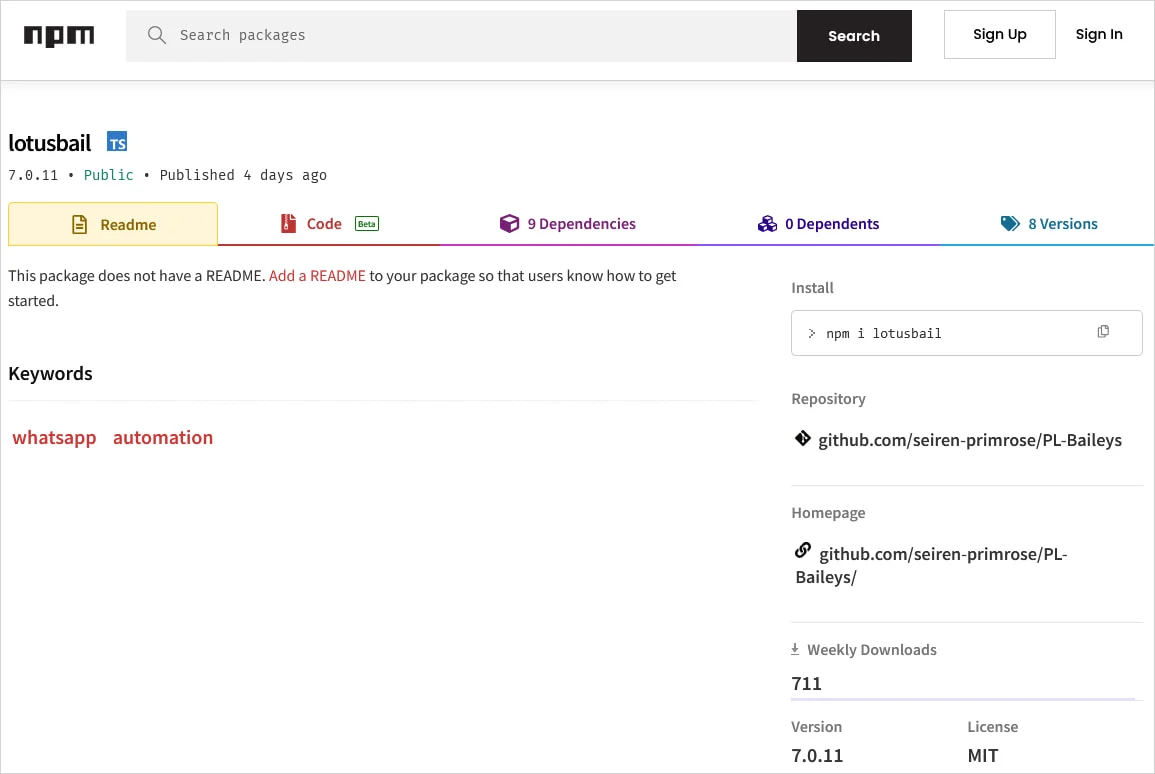
Lotusbail is a malicious npm package disguised as a legitimate WhatsApp Web API library that was published on npm and downloaded over 56,000 times before detection. While appearing functional and allowing normal WhatsApp messaging operations, the package secretly captured credentials, messages, contact lists, media files, and session tokens, then exfiltrated that data to attacker-controlled servers. The package was a trojanized fork of the legitimate WhatsApp Web API library inspired by @whiskeysockets/baileys, implementing a malicious WebSocket wrapper that intercepted all WhatsApp traffic. Most critically, the package used a hardcoded pairing code to silently link the attacker's device to the victim's WhatsApp account, creating persistent access that survives even after the malicious package is removed. This represents a sophisticated supply chain attack targeting developers building WhatsApp integration services.
Attack Specifications
| Attribute | Details |
|---|---|
| Malicious Package Name | lotusbail |
| Package Repository | npm (Node Package Manager) |
| Total Downloads | 56,000+ (before removal) |
| Disguise | WhatsApp Web API library (legitimate-looking functionality) |
| Legitimate Inspiration | @whiskeysockets/baileys (popular WhatsApp Web API library) |
| Attack Type | Supply Chain Attack, Typosquatting/Brandjacking |
| Primary Targets | Developers building WhatsApp integrations, chatbots, automation tools |
| Malicious Capabilities | Credential theft, message interception, contact exfiltration, media theft |
| Persistence Mechanism | Silent WhatsApp device pairing via hardcoded pairing code |
| Exfiltration Method | Custom encrypted WebSocket to attacker-controlled servers |
| Data Stolen | Session tokens, auth credentials, chat histories, contacts, phone numbers |
| Detection Difficulty | High (package appeared functional, used encryption and obfuscation) |
| Persistence Duration | Indefinite (until manually unlinked in WhatsApp settings) |
| Discovery Status | Detected and removed from npm |
Technical Details
Package Deception
Lotusbail employed sophisticated deception tactics to appear legitimate:
- Functional Facade: Package actually worked as a WhatsApp Web API library, allowing developers to send/receive messages, manage contacts, and handle media—making malicious behavior harder to detect
- Forked Codebase: Built atop legitimate WhatsApp Web API code inspired by @whiskeysockets/baileys, a well-known open-source library, providing credible foundation
- Naming Strategy: "lotusbail" similar enough to "baileys" to appear related or as alternative implementation, exploiting developer trust in ecosystem
- npm Publication: Published to official npm registry with description and documentation mimicking legitimate packages
Malicious WebSocket Wrapper
The core attack vector was a trojanized WebSocket client:
- Interception Layer: Package wrapped the standard WebSocket connection used for WhatsApp Web protocol communication
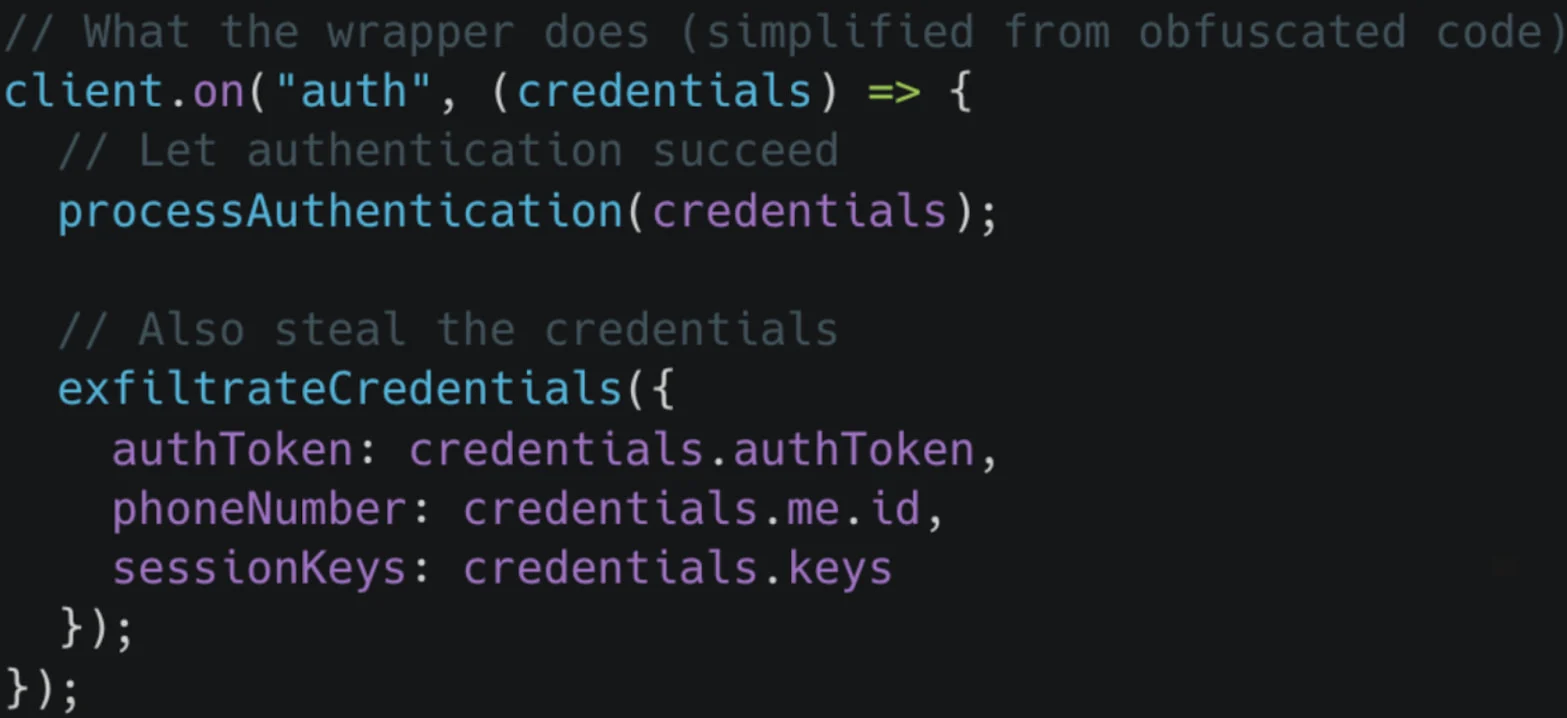
- Man-in-the-Middle: All traffic between developer's application and WhatsApp servers routed through attacker-controlled wrapper
- Transparent Operation: Wrapper passed through legitimate traffic unchanged, maintaining normal application functionality while logging data
- Data Capture: Intercepted authentication tokens, session keys, message payloads (text, images, videos, documents), contact information, and metadata
Data Exfiltration Mechanism
Stolen data was transmitted to attacker infrastructure using obfuscation techniques:
- Custom Encryption: Captured data encrypted using custom encryption scheme before transmission, evading plaintext detection
- Obfuscated Endpoints: Exfiltration endpoints dynamically constructed or obfuscated in code to avoid static analysis detection
- Covert Channels: Data potentially exfiltrated via legitimate-looking HTTPS requests or WebSocket connections to attacker servers disguised as API calls
- Batched Transmission: Data possibly batched and transmitted periodically rather than real-time to reduce network anomaly detectability
Silent Device Pairing
The most persistent aspect of the attack:
- Hardcoded Pairing Code: Package contained hardcoded WhatsApp device pairing code that automatically linked attacker's device to victim's account
- Automatic Linking: During initial authentication or session establishment, attacker's device silently added to victim's linked devices list
- Persistent Access: Once paired, attacker retains full access to WhatsApp account—can read messages, send messages, view contacts—even after lotusbail package removed
- Difficult Detection: Linked devices require manual review in WhatsApp settings; most users unaware of unauthorized pairing
Evasion Techniques
- Code Obfuscation: Malicious code likely obfuscated using JavaScript minification, variable name randomization, or packing techniques
- Legitimate Functionality: By providing working API library, package avoided immediate suspicion from developers testing functionality
- Delayed Activation: Malicious behavior may have activated only after initial testing period or in production environments
- Dynamic Code Loading: Additional payloads potentially loaded at runtime from external sources, avoiding static code analysis
Attack Scenario
Step-by-Step Compromise
-
Malicious Package Publication
Attacker creates lotusbail package as trojanized fork of legitimate WhatsApp Web API library. Publishes to npm registry with convincing description: "WhatsApp Web API library for Node.js - message automation, chatbots, and integrations." Includes documentation and examples mimicking real libraries. -
Developer Discovery and Installation
Developer searches npm for WhatsApp API libraries for project (chatbot, customer service automation, notification system). Discovers lotusbail via npm search, web search, or recommendation. Installs package:npm install lotusbail. Package added topackage.jsonand deployed to development or production environment. -
Application Integration
Developer integrates lotusbail into application code following provided documentation. Application authenticates with WhatsApp using QR code or phone number verification. Establishes WebSocket connection to WhatsApp servers for message handling. -
Malicious Wrapper Activation
Upon initialization, lotusbail's malicious WebSocket wrapper activates. Wrapper intercepts WhatsApp Web protocol handshake, capturing authentication tokens and session credentials. All subsequent WhatsApp traffic (messages, contacts, media) routed through attacker-controlled interception layer. -
Silent Device Pairing
Package uses hardcoded pairing code to automatically link attacker's device to victim's WhatsApp account. Pairing occurs during authentication flow, invisible to developer. Attacker's device appears in victim's Linked Devices list (but typically unnoticed without manual inspection). Attacker gains persistent full access to WhatsApp account. -
Data Exfiltration
Captured data (credentials, messages, contacts with phone numbers, media files, session tokens) encrypted using custom encryption. Exfiltrated to attacker-controlled servers via obfuscated HTTPS/WebSocket connections. Attacker amasses database of compromised WhatsApp accounts, credentials, and sensitive communications. -
Persistent Compromise
Even if developer eventually removes lotusbail package (due to suspicion, security scan, or public disclosure), attacker's device remains linked to WhatsApp account. Attacker retains access to read/send messages, view contacts, and monitor account activity indefinitely until victim manually unlinks device in WhatsApp settings.
Impact Assessment
- 56,000+ developers potentially compromised, exposing their WhatsApp accounts to unauthorized access.
- Developers' personal and professional communications visible to attackers.
- If developers used compromised accounts for business purposes (customer support, notifications), customer data exposed.
- Persistent device pairing means compromise continues until manually remediated.
- Reputation damage for developers whose applications inadvertently facilitated data theft.
- Applications built with lotusbail (chatbots, automation services, customer support platforms) inadvertently exposed end-user WhatsApp messages and contacts.
- Users communicating with compromised services had conversations intercepted.
- Phone numbers and contact information exfiltrated, enabling targeted phishing, social engineering, or spam campaigns.
- Users unaware their communications compromised until public disclosure.
- Stolen data includes sensitive personal and business communications: private messages, financial discussions, health information, credentials shared via chat, business secrets, customer data.
- Contact lists with phone numbers enable identity correlation and targeted attacks.
- Media files (photos, videos, documents) potentially contain sensitive visual information or proprietary documents.
- Session tokens allow account impersonation.
- Incident erodes trust in npm ecosystem security.
- Developers question safety of third-party dependencies, especially for security-sensitive integrations (messaging platforms, authentication services).
- Highlights inadequacy of npm's package vetting process.
- Competitors to npm (e.g., pnpm, Yarn with alternative registries) may benefit from trust erosion.
- Calls for improved supply chain security controls intensify.
- Organizations whose developers integrated lotusbail into internal tools or customer-facing applications face data breach incidents.
- Potential regulatory violations (GDPR, CCPA) if customer communications exposed.
- Incident response costs for investigating scope, notifying affected users, and remediating compromise.
- Potential legal liability for inadequate supply chain security controls.
Mitigation Strategies
Immediate Actions (For Affected Users)
- Remove lotusbail Package: Immediately uninstall lotusbail from all projects:
npm uninstall lotusbail. Search entire codebase and monorepos for package usage:grep -r "lotusbail" .ornpm ls lotusbail. Remove frompackage.json,package-lock.json, andyarn.lock. - Unlink Unknown Devices: Open WhatsApp on phone → Settings → Linked Devices → Review all linked devices. Unlink any unrecognized devices or devices from unfamiliar locations/IP addresses. Log out all devices and re-link only trusted devices.
- Rotate WhatsApp Session Credentials: If possible, log out and re-authenticate WhatsApp integration with fresh credentials. Generate new session tokens and API keys if using WhatsApp Business API.
- Review Communication History: Check WhatsApp chat history for unauthorized messages sent by attacker. Notify contacts if suspicious messages sent from your account. Change passwords for services if credentials shared via WhatsApp.
- Monitor Account Activity: Enable WhatsApp two-step verification (PIN code) to add security layer. Regularly review linked devices for new unauthorized pairings.
Dependency Auditing
- npm Audit: Run
npm auditto scan for known vulnerabilities and malicious packages in dependency tree. Review audit report for high-severity issues. Address findings before deployment. - Automated Scanning Tools: Integrate dependency scanning into CI/CD pipeline:
- Snyk: Continuous security monitoring for npm dependencies
- npm audit signatures: Verify package integrity using signatures
- Socket.dev: Detect supply chain attacks and malicious packages in real-time
- Dependabot: Automated dependency updates and security alerts (GitHub)
- Lock File Review: Commit
package-lock.jsonoryarn.lockto version control. Review lock file changes in pull requests to detect unexpected dependency additions or updates. - Software Composition Analysis (SCA): Deploy enterprise SCA tools (Sonatype Nexus, JFrog Xray, WhiteSource) for comprehensive supply chain risk management.
Package Vetting Process
- Source Code Review: Before installing third-party packages, review source code on GitHub/GitLab. Check for obfuscated code, suspicious network calls, or unusual permission requests. Look for active maintenance and community engagement.
- Reputation Assessment: Evaluate package reputation:
- Download statistics: Extremely low or extremely high downloads for new package (suspicious)
- Maintainer history: Check npm profile for maintainer's other packages and reputation
- GitHub stars/forks: Legitimate packages typically have community validation
- Recent activity: Check last update date; abandoned packages pose security risk
- Typosquatting Detection: Be cautious of packages with names similar to popular libraries (e.g., lotusbail vs baileys). Verify official package name before installation. Use autocomplete or copy-paste from official documentation.
- Dependency Tree Analysis: Examine package dependencies (
npm ls <package>) for unexpected or suspicious sub-dependencies. Malicious code often hidden in transitive dependencies.
Runtime Monitoring
- Network Traffic Monitoring: Deploy network monitoring to detect unusual outbound connections from Node.js applications. Alert on connections to unknown external IPs, especially from third-party package code.
- Behavioral Analysis: Monitor application behavior for anomalies:
- Unexpected file system access (reading credentials, SSH keys, browser data)
- Unusual WebSocket connections to non-WhatsApp servers
- High-volume data exfiltration patterns
- Environment variable access by third-party code
- Process Isolation: Run Node.js applications with least privilege principle. Use containers (Docker) with restricted network policies, filesystem mounts, and capability dropping.
Authentication Security
- Credential Isolation: Avoid storing sensitive credentials (API keys, tokens) in code or environment variables accessible to application. Use secrets management solutions (AWS Secrets Manager, HashiCorp Vault, Azure Key Vault).
- Token Rotation: Implement automatic token rotation for WhatsApp integrations. Limit token lifetime and require re-authentication periodically.
- Two-Factor Authentication: Enable WhatsApp two-step verification for all accounts used in integrations. Requires PIN code for device linking, preventing unauthorized pairing.
- Separate Accounts: Use dedicated WhatsApp Business accounts for integrations, separate from personal accounts. Limit blast radius if compromise occurs.
Developer Education
- Security Training: Train development teams on supply chain security risks, typosquatting attacks, and malicious package identification. Conduct regular security awareness sessions.
- Secure Development Guidelines: Establish organizational policies for third-party dependency usage:
- Require security team approval for new dependencies
- Mandate source code review for security-sensitive packages (authentication, messaging, payment)
- Document approved package registry and private mirror usage
- Incident Response Procedures: Prepare incident response playbook for supply chain compromise scenarios. Define roles, communication channels, and remediation steps.
Ecosystem-Level Solutions
- npm Package Signing: Advocate for and use npm package signature verification when available. Verify cryptographic signatures before installation.
- Private npm Registry: Organizations should consider hosting private npm mirror with curated, vetted packages. Tools: Verdaccio, npm Enterprise, Artifactory, Nexus Repository.
- Dependency Pinning: Pin exact dependency versions in
package.json(avoid^or~version ranges for critical packages). Review and test updates explicitly before deploying. - Continuous Monitoring: Subscribe to security advisories (npm security advisories, Snyk vulnerability database, GitHub Security Advisories) for real-time alerts on compromised packages.
Resources
Incident Coverage